
Cloud v1.1
  • Home
  • Cloud
  • CMS
  • AI
  • Blockchain
  • Digital
  • Mobile
Powered by
  1. Welcome
  2. Infrastructure
  3. Containers
  4. Add Container

Add Container

Adding a container in Solodev Cloud is a simple process and can be completed in minutes by following the steps below.
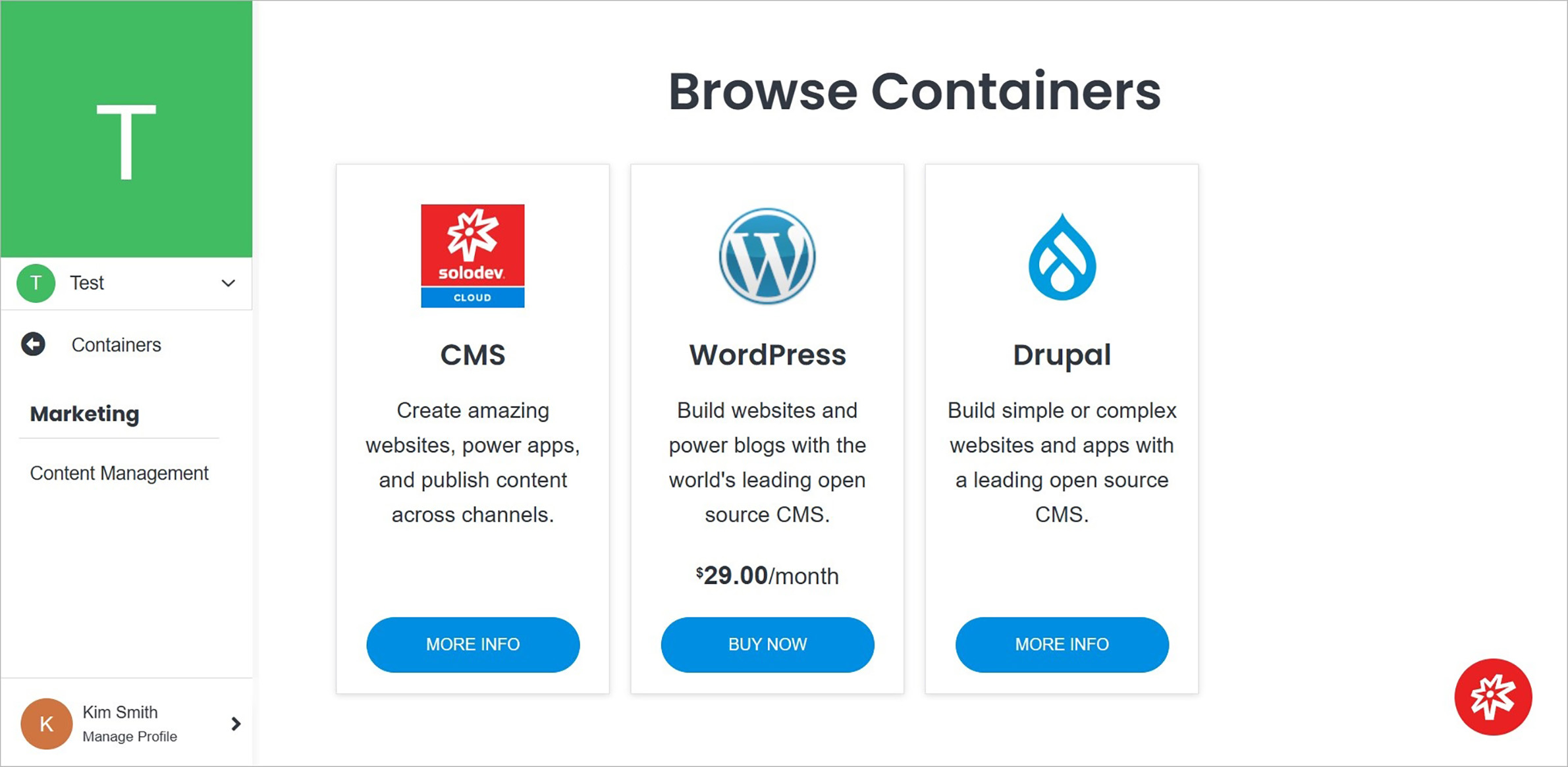
addcontainer

Name Description
Product Selection Select the product you are interested in by clicking the blue button on the product card.
Note:

Some products have a purchase option. For others without a purchase option, contact Solodev by filling out the contact form.

Note:

The next steps are presented in the Add Service.

See also

Clusters

A cluster is a set of nodes that run containerized applications. Containerizing application packages an app with its dependencies and some necessary services.

Containers

A container is a software unit that packages up code and all its dependencies, allowing applications to run quickly and reliably from one computing environment to another either on a PC, in a traditional IT environment, or in the cloud.

Infrastructure Overview

Infrastructure is the core of your builds and is divided into two main groups: Infrastructure and Settings. From the Infrastructure Overview page, you get a high-level overview of your containers and deployments and also access to your settings.

Previous Permissions
Next Deployments

© Copyright 2026. All rights reserved.