# Billing
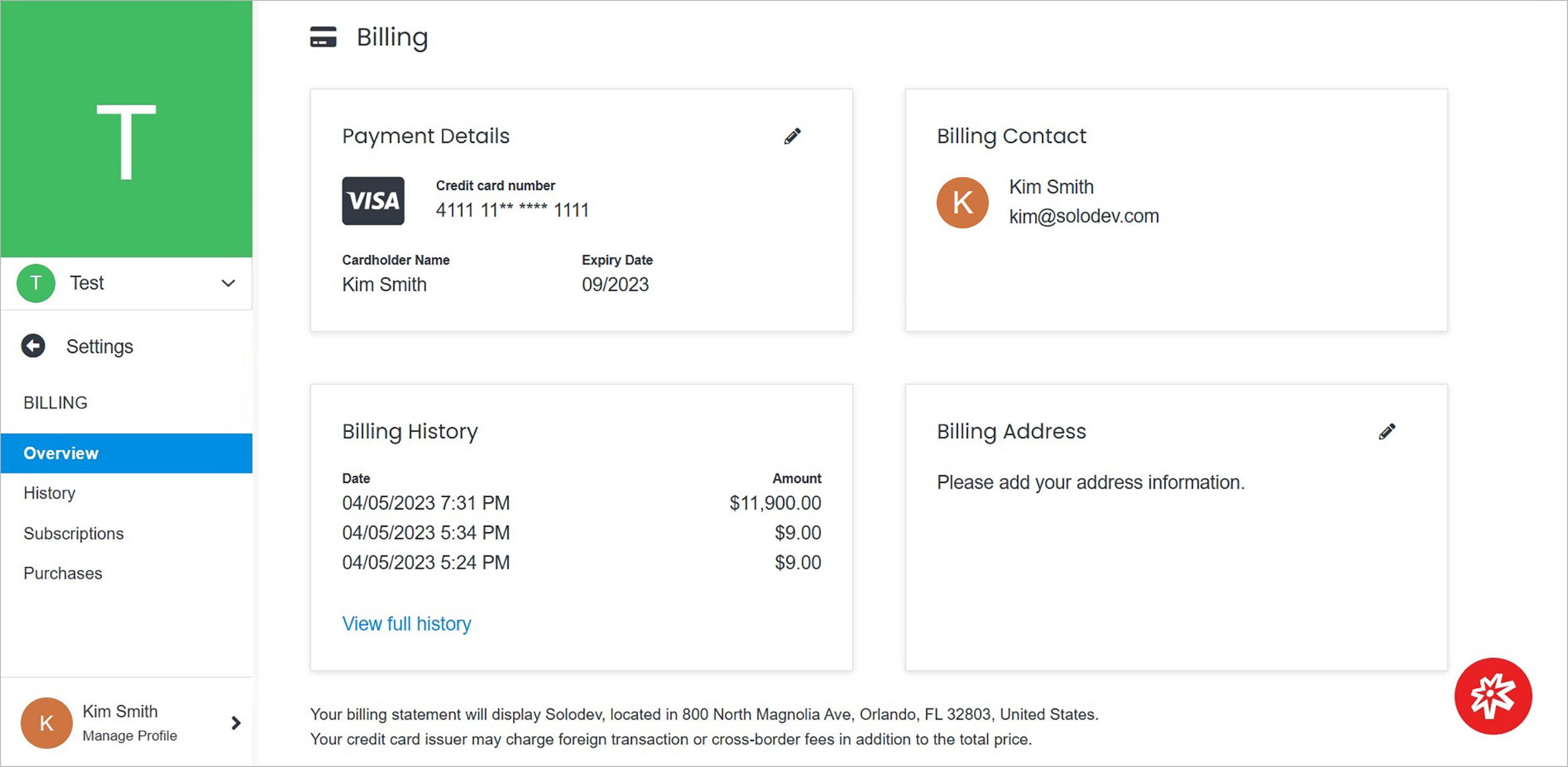
To receive revenue provide the banking account to which Solodev will transfer your funds. To do it use this section, where you update your billing details.
 !!!Note:
- You may have up to 2 bank accounts attached to each Solodev organization.
- All bank accounts must be US bank accounts.
!!!
On the billing page, among others, you can check billing contact and billing history presented in the short form.
**Name** | **Description**
:--- | ---
History | View billing history.
Subscriptions | View and manage subscriptions.
Purchases | View purchases.
Payment Details | Manage payment details.
Billing Address | Manage billing address.
## Payment Details
Edit payment details by clicking on the pencil icon above the Payment Details card on the right.
!!!Note:
- You may have up to 2 bank accounts attached to each Solodev organization.
- All bank accounts must be US bank accounts.
!!!
On the billing page, among others, you can check billing contact and billing history presented in the short form.
**Name** | **Description**
:--- | ---
History | View billing history.
Subscriptions | View and manage subscriptions.
Purchases | View purchases.
Payment Details | Manage payment details.
Billing Address | Manage billing address.
## Payment Details
Edit payment details by clicking on the pencil icon above the Payment Details card on the right.
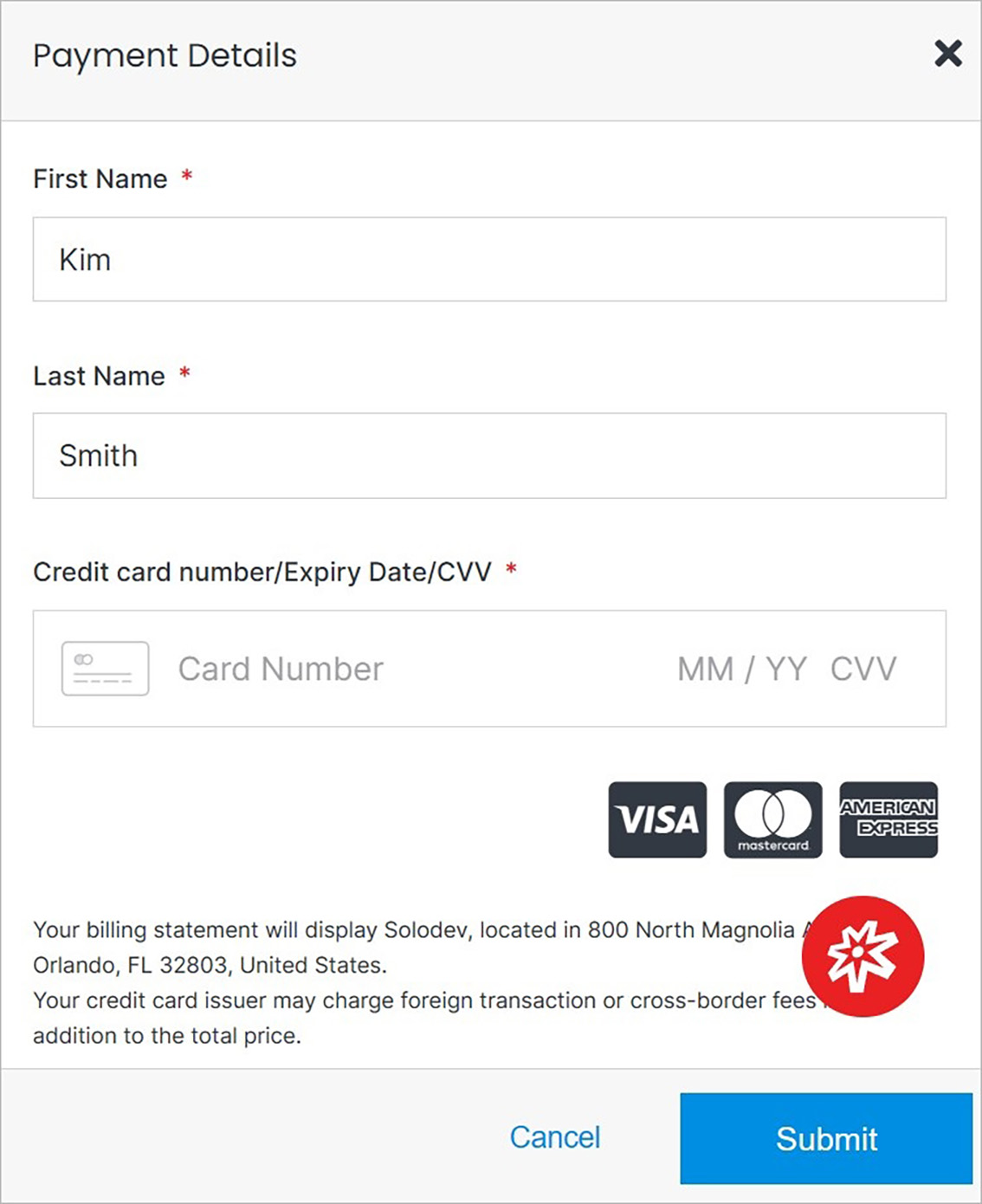 **Name** | **Description**
:--- | ---
First Name | Enter the first name.
Last Name | Enter the last name.
Credit card number| Enter the credit card number.
Expiry Date | Enter the card's expiry date.
CVV | Enter CVV.
## Billing Address
Edit the billing address by clicking on the pencil icon above the Billing Address card on the right.
**Name** | **Description**
:--- | ---
First Name | Enter the first name.
Last Name | Enter the last name.
Credit card number| Enter the credit card number.
Expiry Date | Enter the card's expiry date.
CVV | Enter CVV.
## Billing Address
Edit the billing address by clicking on the pencil icon above the Billing Address card on the right.
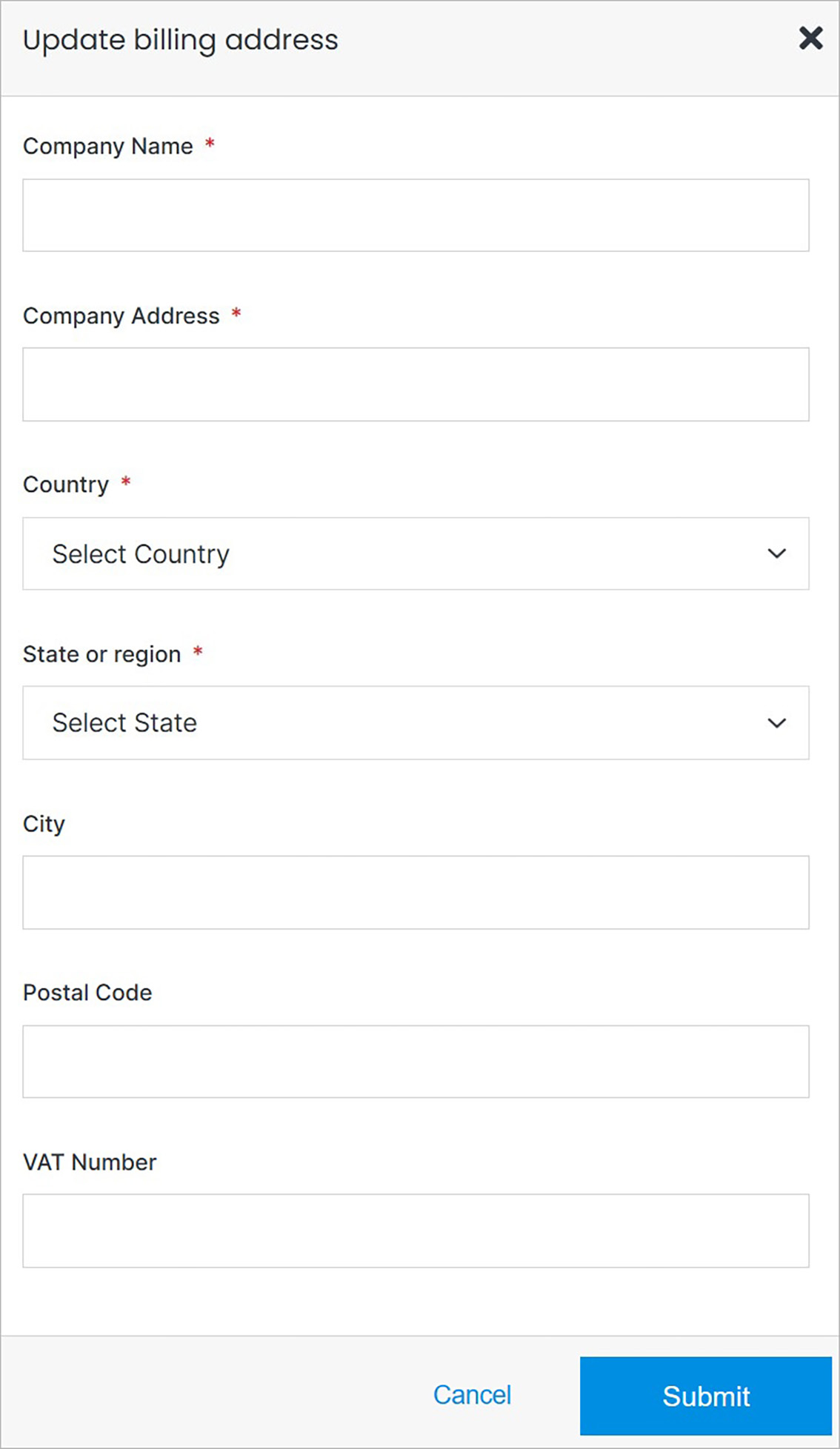 **Name** | **Description**
:--- | ---
Company Name | Enter the company name.
Company Address | Enter the company address.
Country | Choose the country where the company is located.
State or region | Choose the state or region where the company is located.
City | Enter the city where the company is located.
Postal Code | Enter the postal code.
VAT Number | Enter the VAT number, if applicable.
## Confirm
Once you have completed all the fields, click **Submit** to apply your changes.
**Name** | **Description**
:--- | ---
Company Name | Enter the company name.
Company Address | Enter the company address.
Country | Choose the country where the company is located.
State or region | Choose the state or region where the company is located.
City | Enter the city where the company is located.
Postal Code | Enter the postal code.
VAT Number | Enter the VAT number, if applicable.
## Confirm
Once you have completed all the fields, click **Submit** to apply your changes.