# Infrastructure Overview
Infrastructure is the core of your builds and is divided into two main groups: Infrastructure and Settings. From the Infrastructure Overview page, you get a high-level overview of your containers and deployments and also access to your settings.
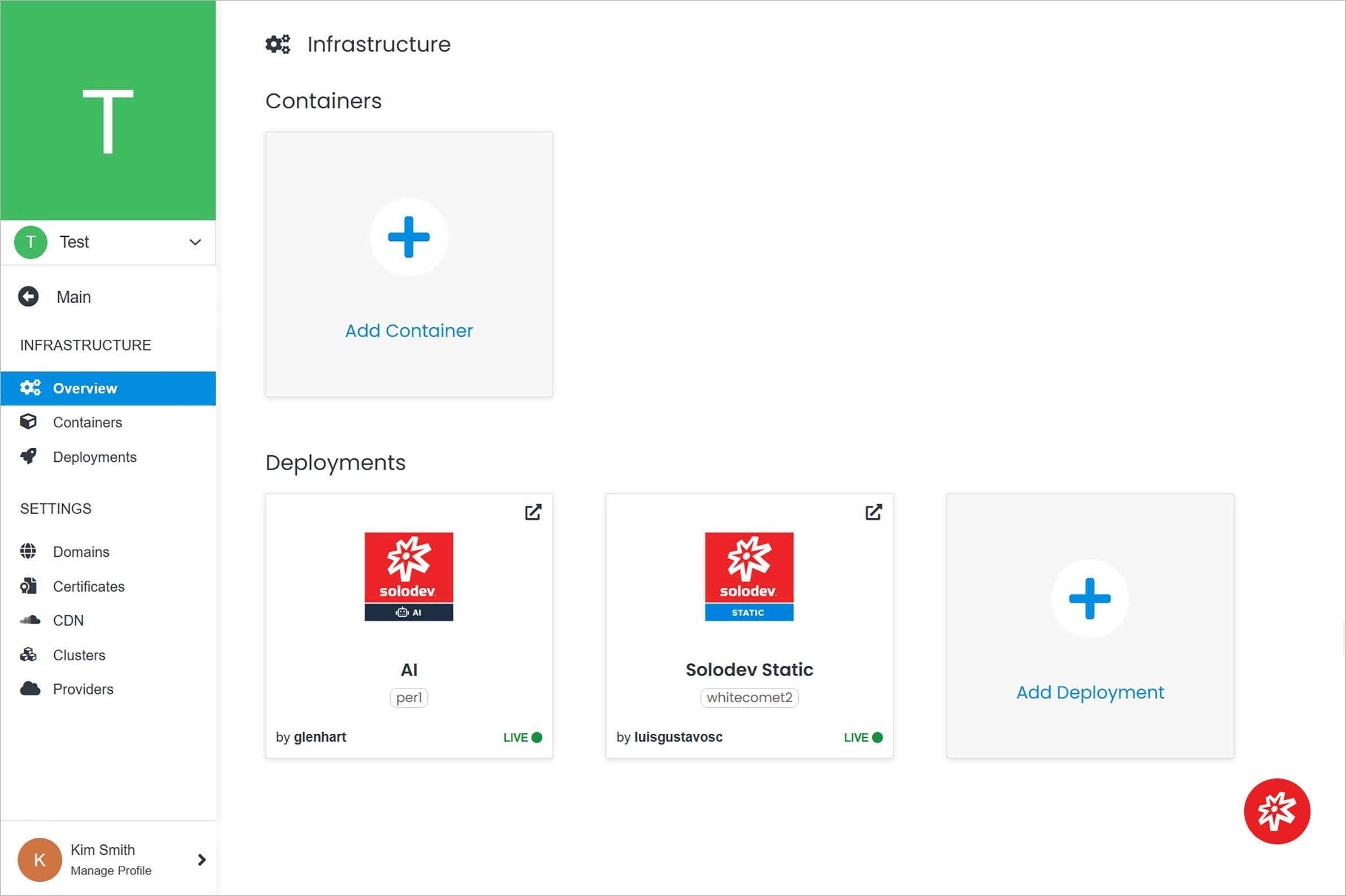 **Name** | **Description**
:--- | ---
Containers | Go to the Containers page.
Add Container | Add a container.
Deployments | Go to the Deployments page.
Add Deployment | Add a deployment.
Domains | Go to the Domains page.
Certificates | Go to the Certificates page.
CDN | Go to the CDN page.
Clusters | Go to the Clusters page.
Providers | Go to the Providers page.
**Name** | **Description**
:--- | ---
Containers | Go to the Containers page.
Add Container | Add a container.
Deployments | Go to the Deployments page.
Add Deployment | Add a deployment.
Domains | Go to the Domains page.
Certificates | Go to the Certificates page.
CDN | Go to the CDN page.
Clusters | Go to the Clusters page.
Providers | Go to the Providers page.