#

<div class="header">
  <div class="inner">
    <img src="/static/images/logos/aws-logo.jpg" alt="AWS Logo">
    <div>
      <h1 style="color: #222;">AWS</h1>
      <p style="padding-left: 2rem; margin-bottom: 0; color: #222;">Host and scale your apps on the world's most powerful cloud platform.</p>
    </div>
  </div>
  <a href="https://signin.aws.amazon.com/signup?request_type=register" rel="noopener noreferrer" target="_blank" class="btn-orange-lg">SIGN UP <span style="padding-left: .5rem; display: inline-flex; align-items: center;"><svg xmlns="http://www.w3.org/2000/svg" viewBox="0 0 16 16" width="20" height="20" fill="#fff"><path d="M3.75 2h3.5a.75.75 0 0 1 0 1.5h-3.5a.25.25 0 0 0-.25.25v8.5c0 .138.112.25.25.25h8.5a.25.25 0 0 0 .25-.25v-3.5a.75.75 0 0 1 1.5 0v3.5A1.75 1.75 0 0 1 12.25 14h-8.5A1.75 1.75 0 0 1 2 12.25v-8.5C2 2.784 2.784 2 3.75 2Zm6.854-1h4.146a.25.25 0 0 1 .25.25v4.146a.25.25 0 0 1-.427.177L13.03 4.03 9.28 7.78a.751.751 0 0 1-1.042-.018.751.751 0 0 1-.018-1.042l3.75-3.75-1.543-1.543A.25.25 0 0 1 10.604 1Z"></path></svg></span></a>
</div>

Trust the cloud power of Amazon Web Services to host and scale your digital experiences! In minutes, you can create a free AWS account and connect your Solodev deployments to a galaxy of services.

## Sign up for an AWS account

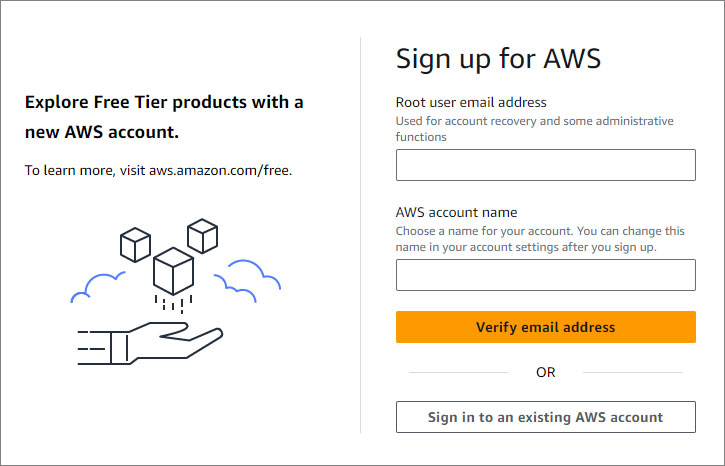
1. Subscribe to AWS. <a href="https://signin.aws.amazon.com/signup?request_type=register" target="_blank" class="btn-orange-sm" style="margin-left: 1rem;">SIGN UP <span>:icon-link-external:</span></a>

<p><img src="/static/images/aws/aws-sign-up-form.jpg" alt="AWS sign up form" style="width: 50%;"></p>

2. Enter the root user email address. This email will be used for account recovery and some administrative functions.

3. Create an AWS account name.

4. Click <span class="text-orange">**Verify email address**</span>.

### Confirm Email

1. Confirm your identity by going to your email and copying the verification code sent.

2. Paste the code on the AWS form.
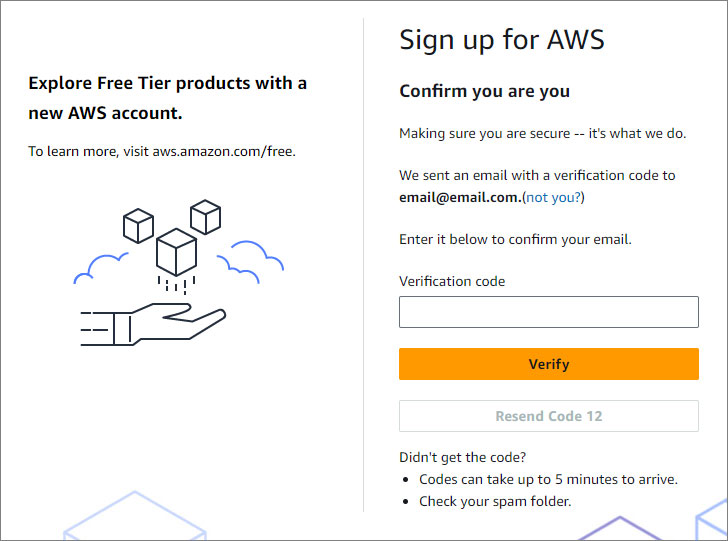
<p><img src="/static/images/aws/aws-confirm-email.jpg" alt="AWS Confirm Email form" style="width: 50%;"></p>

### Create Password

1. Create your root user password.

2. Confirm your root user password.
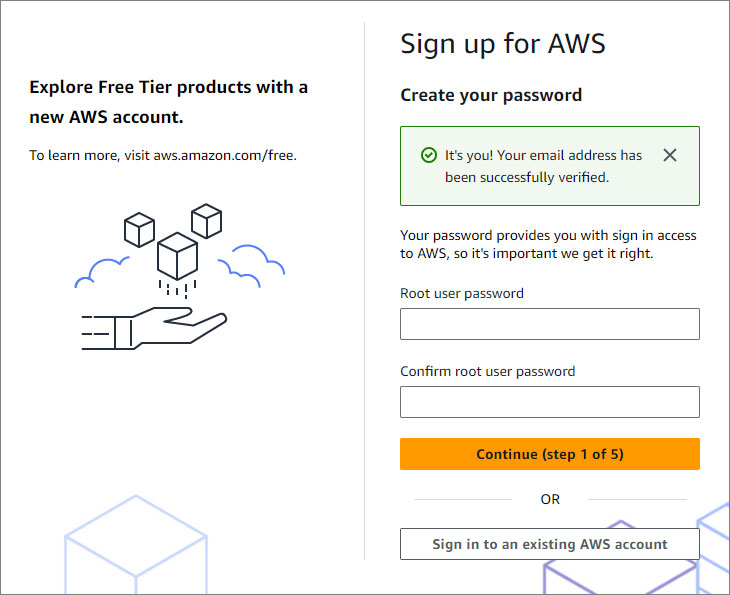
<p><img src="/static/images/aws/aws-create-password.jpg" alt="AWS Create Password form" style="width: 50%;"></p>

3. <span class="text-orange">**Continue to step 2**</span>.

### Contact Information

1. Select the type of account.
  - **Business** - for your work, school, or organization.
  - **Personal** - for your own projects.

2. Fill out the rest of the form with your personal information.
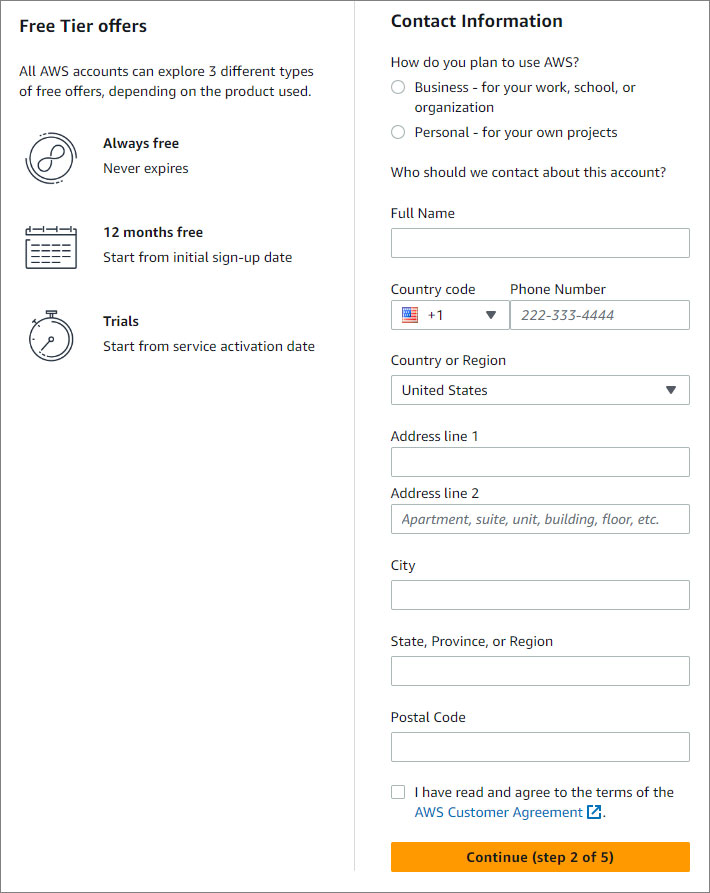
<p><img src="/static/images/aws/aws-contact-information.jpg" alt="AWS Billing Information form" style="width: 50%;"></p>

3. <span class="text-orange">**Continue to step 3**</span>.

### Billing Information

1. Set up your billing information.
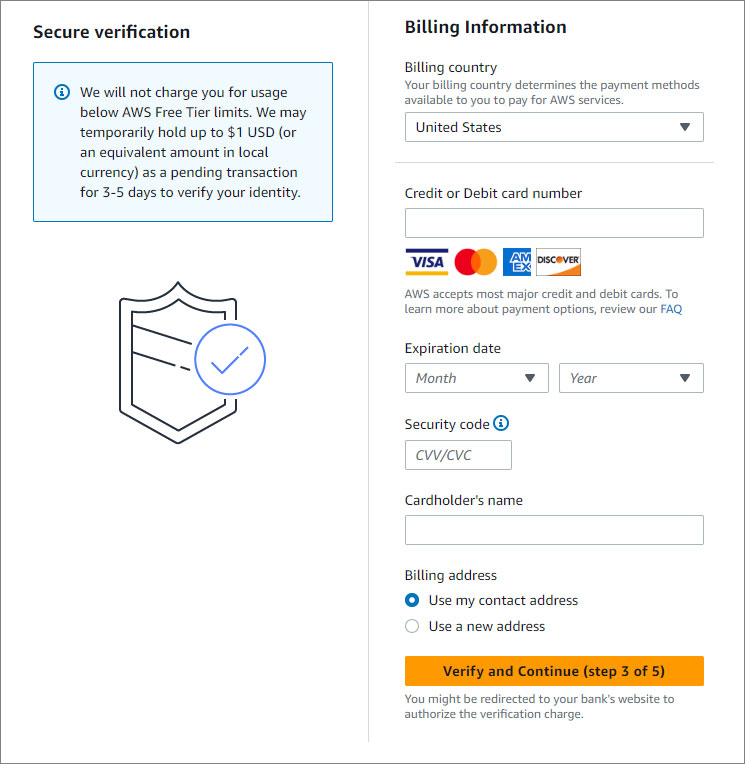
<p><img src="/static/images/aws/aws-billing-info.jpg" alt="AWS Billing Information form" style="width: 50%;"></p>

2. <span class="text-orange">**Continue to step 4**</span>.

### Confirm Identity

1. Choose how you would like to receive the verification code on your phone.
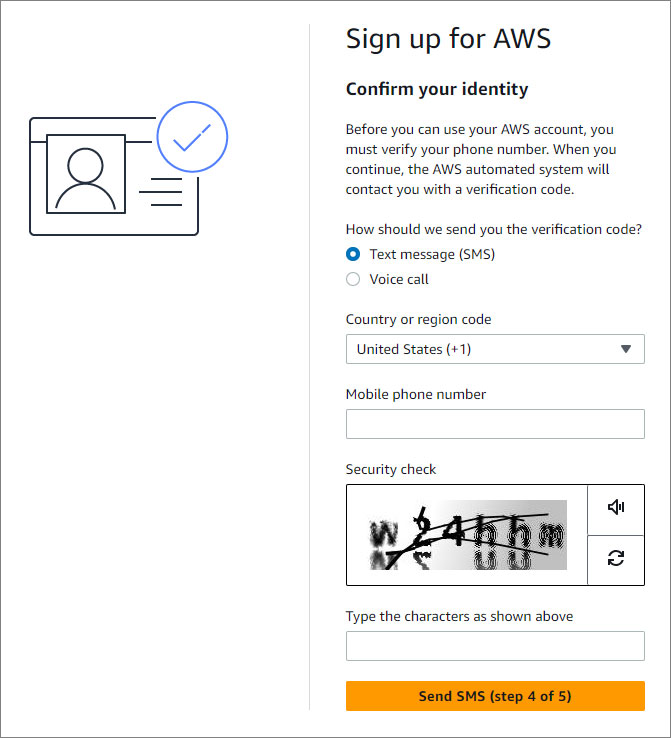
<p><img src="/static/images/aws/aws-confirm-identity.jpg" alt="Confirm Identity form" style="width: 50%;"></p>

2. Type your phone number.

3. Type the characters shows in the security check picture.

4. <span class="text-orange">**Continue**</span>.

5. Paste the verification code sent to your phone.

6. <span class="text-orange">**Continue to step 5**</span>.

### Select Support Plan

1. Choose between the plans offered.
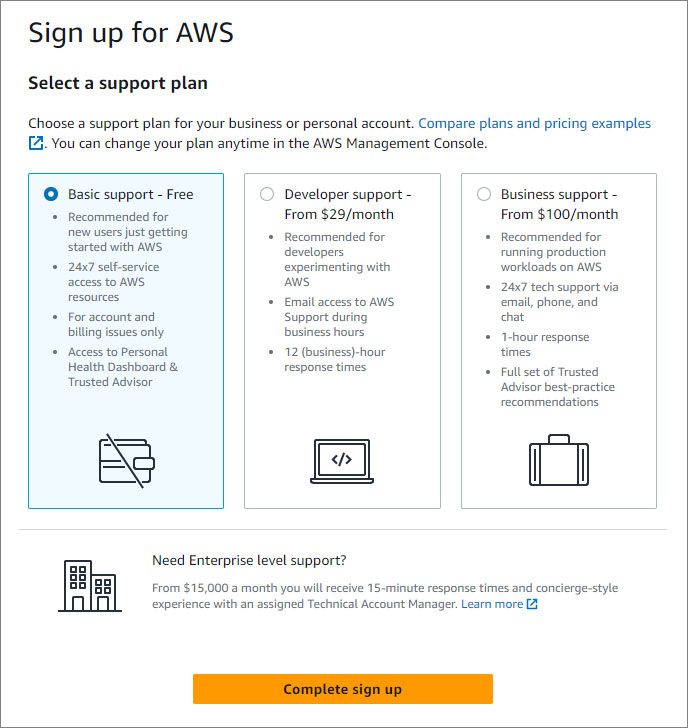
<p><img src="/static/images/aws/aws-support-plans.jpg" alt="Support Plans" style="width: 50%;"></p>

2. <span class="text-orange">**Complete sign up**</span>.

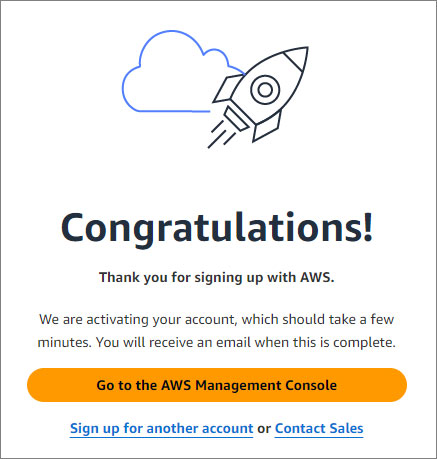
Congratulations! You have signed up for an AWS account. You can go to your <a href="https://console.aws.amazon.com/" target="_blank">AWS Management Console</a>.

<p><img src="/static/images/aws/aws-congratulations.jpg" alt="Congratulations" style="width: 30%;"></p>

<style>
  /* Headers */
  .header {
    display: flex;
    align-items: center;
    justify-content: space-between;
    padding: 2rem 1.5rem;
    margin-bottom: 2rem;
    background-color: #eef6ff;
  }
  .header .inner {
    display: flex;
    align-items: center;
    justify-content: start;
  }
  .header img {
    width: 80px;
  }
  .header h1 {
    margin-left: 0;
    font-size: 2rem;
    margin-bottom: 0.25rem;
  }
  .header p {
    padding-left: 2rem;
    margin-bottom: 0;
  }
</style>