# Add Site
Adding a site is a simple process and can be completed in minutes by following the steps below.
 **Name** | **Description**
:--- | ---
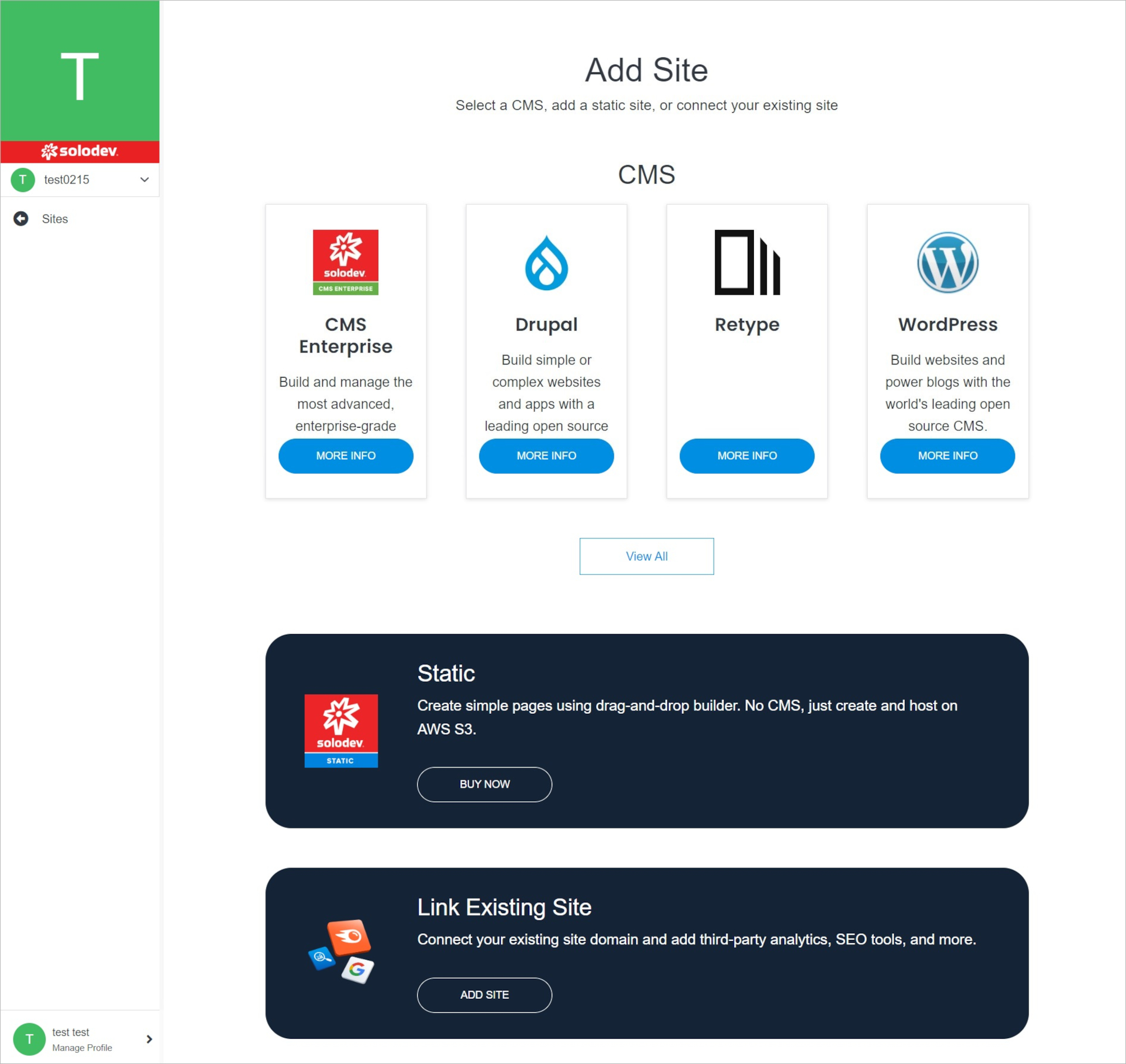
Site Type | Choose one from the three available site types.
!!!Note:
Site Types:
**[CMS:](https://cloud.solodev.net/pages/sites/add-site/#cms)** CMS (Content Management System) creates pages, build websites, publishes content dynamically, and utilizes data modules to streamline content operations. With a CMS, manage users and groups with permissions on a site or even a page level, allowing for control and collaboration with the team on digital experiences. There are several CMS options to choose from in Solodev Cloud, including Solodev CMS and WordPress.
**[Static:](https://cloud.solodev.net/pages/sites/add-site/#static)** A static website uses server-side rendering to push pre-built HTML, CSS, and JavaScript files to a web browser. Static sites decouple the content repository from the front-end interface, giving greater flexibility with minimal cost to host and maintain. Sites launched with Solodev Static can be built and managed using our simple drag-and-drop editor.
**[External:](https://cloud.solodev.net/pages/sites/add-site/#external)** In addition to launching a CMS or a static site via Solodev Cloud, there is an option to connect an external site and manage the name, domain, login, and other variables within the Solodev Cloud account.
!!!
---
## CMS
Create your site using CMS.
**Name** | **Description**
:--- | ---
Site Type | Choose one from the three available site types.
!!!Note:
Site Types:
**[CMS:](https://cloud.solodev.net/pages/sites/add-site/#cms)** CMS (Content Management System) creates pages, build websites, publishes content dynamically, and utilizes data modules to streamline content operations. With a CMS, manage users and groups with permissions on a site or even a page level, allowing for control and collaboration with the team on digital experiences. There are several CMS options to choose from in Solodev Cloud, including Solodev CMS and WordPress.
**[Static:](https://cloud.solodev.net/pages/sites/add-site/#static)** A static website uses server-side rendering to push pre-built HTML, CSS, and JavaScript files to a web browser. Static sites decouple the content repository from the front-end interface, giving greater flexibility with minimal cost to host and maintain. Sites launched with Solodev Static can be built and managed using our simple drag-and-drop editor.
**[External:](https://cloud.solodev.net/pages/sites/add-site/#external)** In addition to launching a CMS or a static site via Solodev Cloud, there is an option to connect an external site and manage the name, domain, login, and other variables within the Solodev Cloud account.
!!!
---
## CMS
Create your site using CMS.
 **Name** | **Description**
:--- | ---
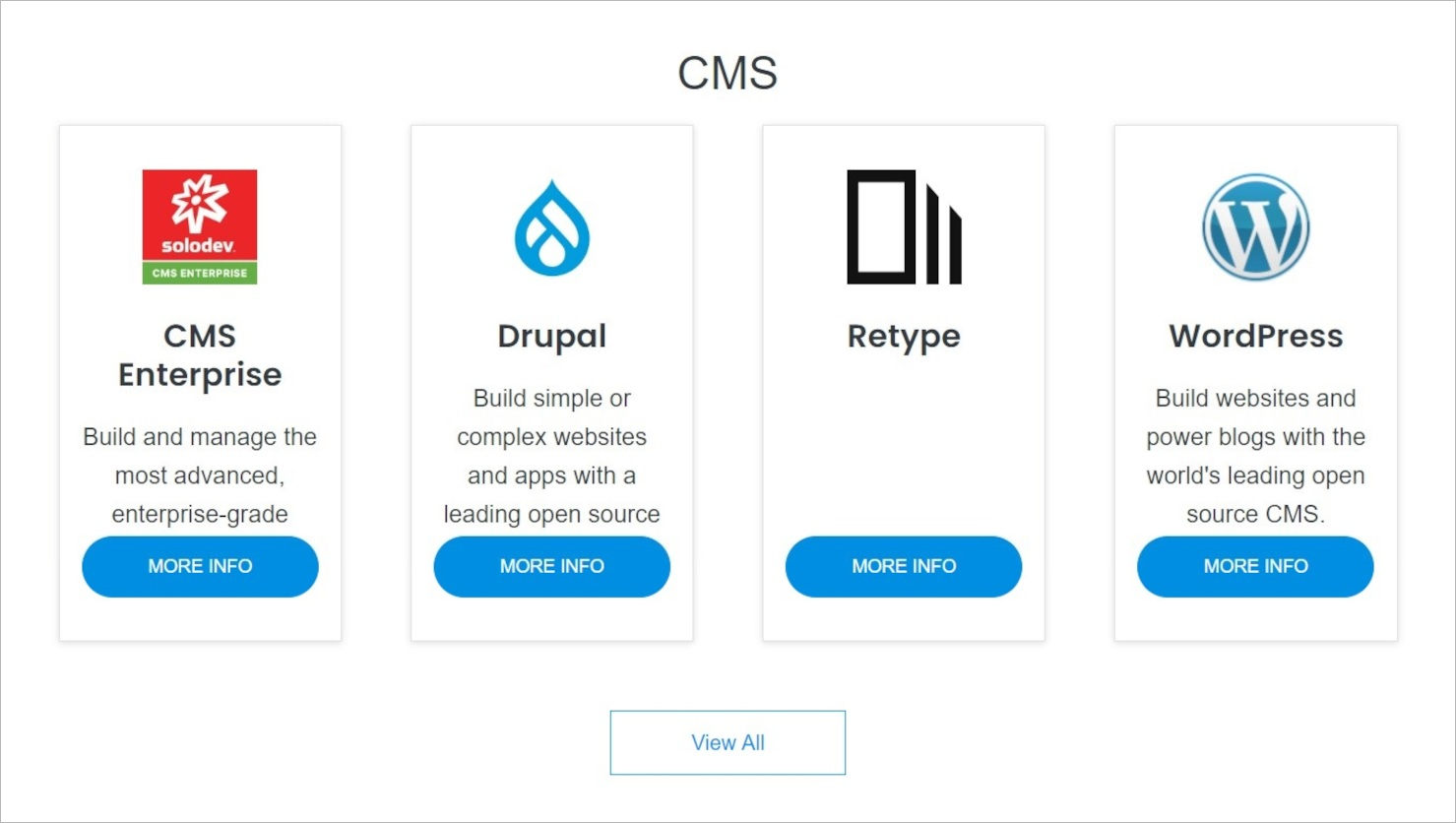
Product Selection | Select the product you are interested in by clicking on the blue button on the product card.
!!!Note:
Some products have a purchase option. For others without a purchase option, contact Solodev by filling out the contact form. Below is an example of a product WordPress that can be purchased immediately without having to contact Solodev.
!!!
**Name** | **Description**
:--- | ---
Product Selection | Select the product you are interested in by clicking on the blue button on the product card.
!!!Note:
Some products have a purchase option. For others without a purchase option, contact Solodev by filling out the contact form. Below is an example of a product WordPress that can be purchased immediately without having to contact Solodev.
!!!
 **Name** | **Description**
:--- | ---
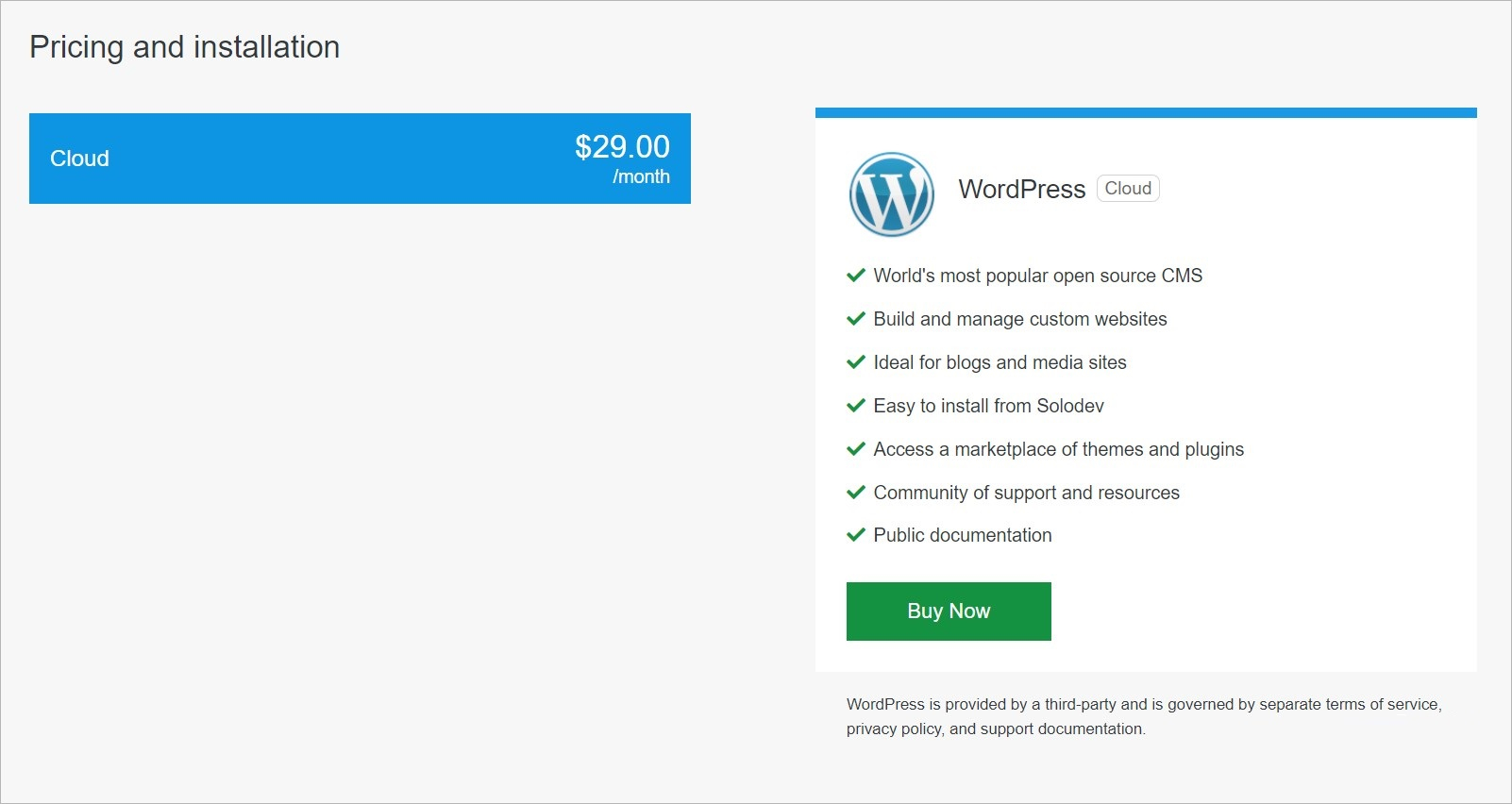
Buy Now | Click this button to go one step further to completing your purchase.
**Name** | **Description**
:--- | ---
Buy Now | Click this button to go one step further to completing your purchase.
 **Name** | **Description**
:--- | ---
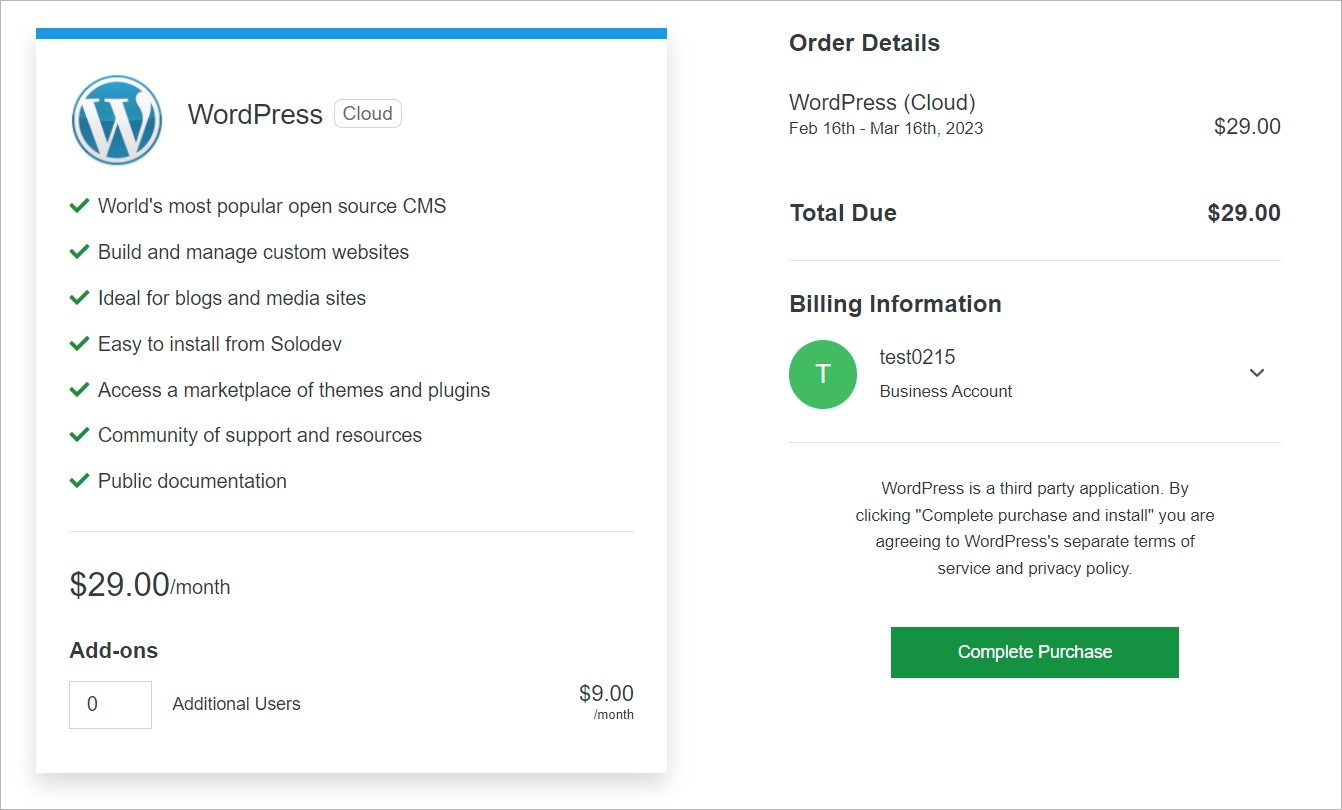
Choose Add-Ons | Enter add-ons number, if needed.
Complete Purchase | Click this button to complete your purchase.
**Name** | **Description**
:--- | ---
Choose Add-Ons | Enter add-ons number, if needed.
Complete Purchase | Click this button to complete your purchase.
 **Name** | **Description**
:--- | ---
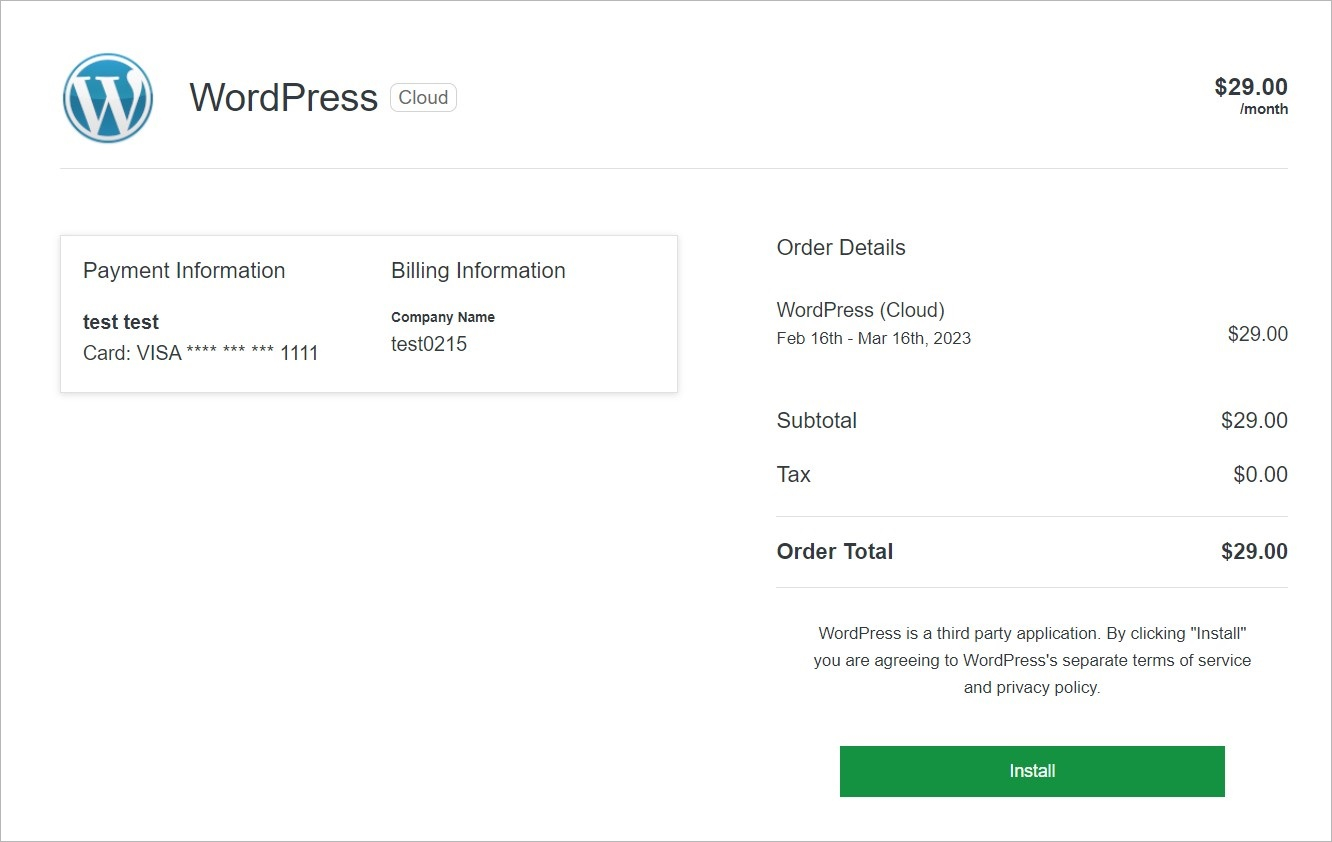
Install | Install the product in the Solodev Cloud.
**Name** | **Description**
:--- | ---
Install | Install the product in the Solodev Cloud.
 **Name** | **Description**
:--- | ---
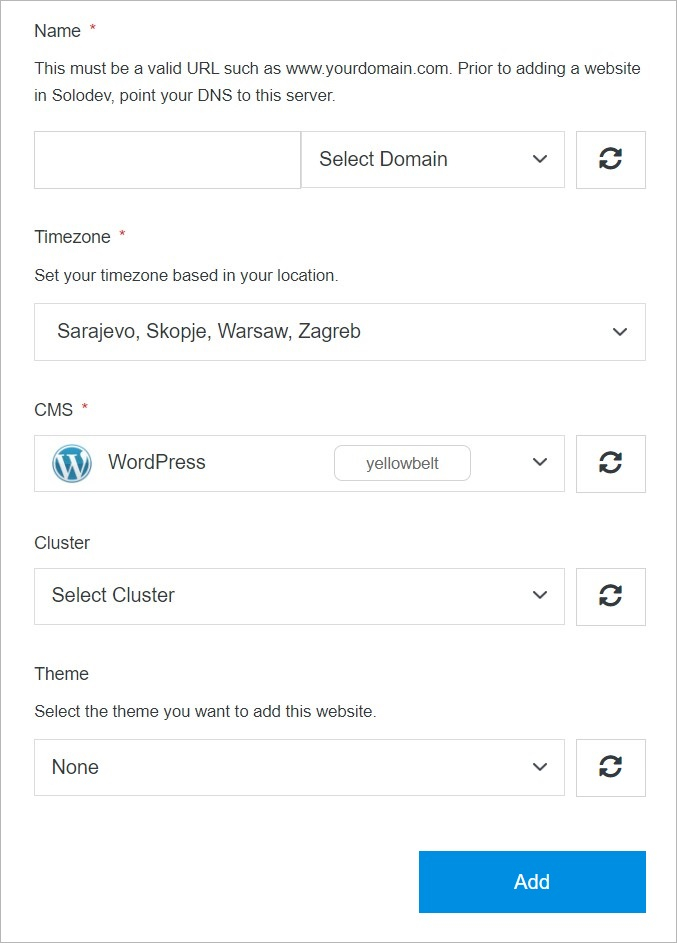
Name | Add a custom title to identify your website within your CMS deployment.
Timezone | Select a timezone for your website to help specify its location.
CMS | Choose a CMS for your website. Select from options that are purchased and ready to install, or you can add a new CMS from the Solodev Marketplace.
Cluster | Choose a cluster for your website. Select from options that are purchased and ready to install, or you can add a new cluster from the Solodev Marketplace.
Theme (optional) | Add a theme package to your website. Select from options that are purchased and ready to install, or you can add a new theme from the Solodev Marketplace.
!!!Tip:
When adding a new domain, it must be a valid URL such as www.yourdomain.com. Before adding a website in Solodev, point your DNS to this server.
!!!
## Static
Create your site using Static.
**Name** | **Description**
:--- | ---
Name | Add a custom title to identify your website within your CMS deployment.
Timezone | Select a timezone for your website to help specify its location.
CMS | Choose a CMS for your website. Select from options that are purchased and ready to install, or you can add a new CMS from the Solodev Marketplace.
Cluster | Choose a cluster for your website. Select from options that are purchased and ready to install, or you can add a new cluster from the Solodev Marketplace.
Theme (optional) | Add a theme package to your website. Select from options that are purchased and ready to install, or you can add a new theme from the Solodev Marketplace.
!!!Tip:
When adding a new domain, it must be a valid URL such as www.yourdomain.com. Before adding a website in Solodev, point your DNS to this server.
!!!
## Static
Create your site using Static.
 **Name** | **Description**
:--- | ---
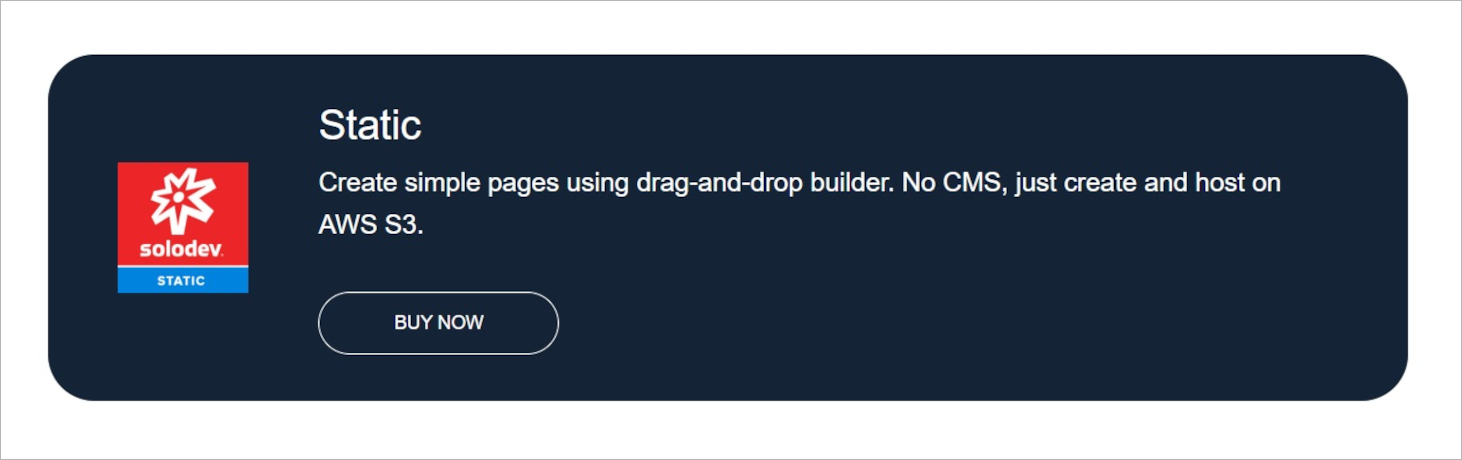
Buy Now | Click this button to go one step further to completing your purchase.
**Name** | **Description**
:--- | ---
Buy Now | Click this button to go one step further to completing your purchase.
 **Name** | **Description**
:--- | ---
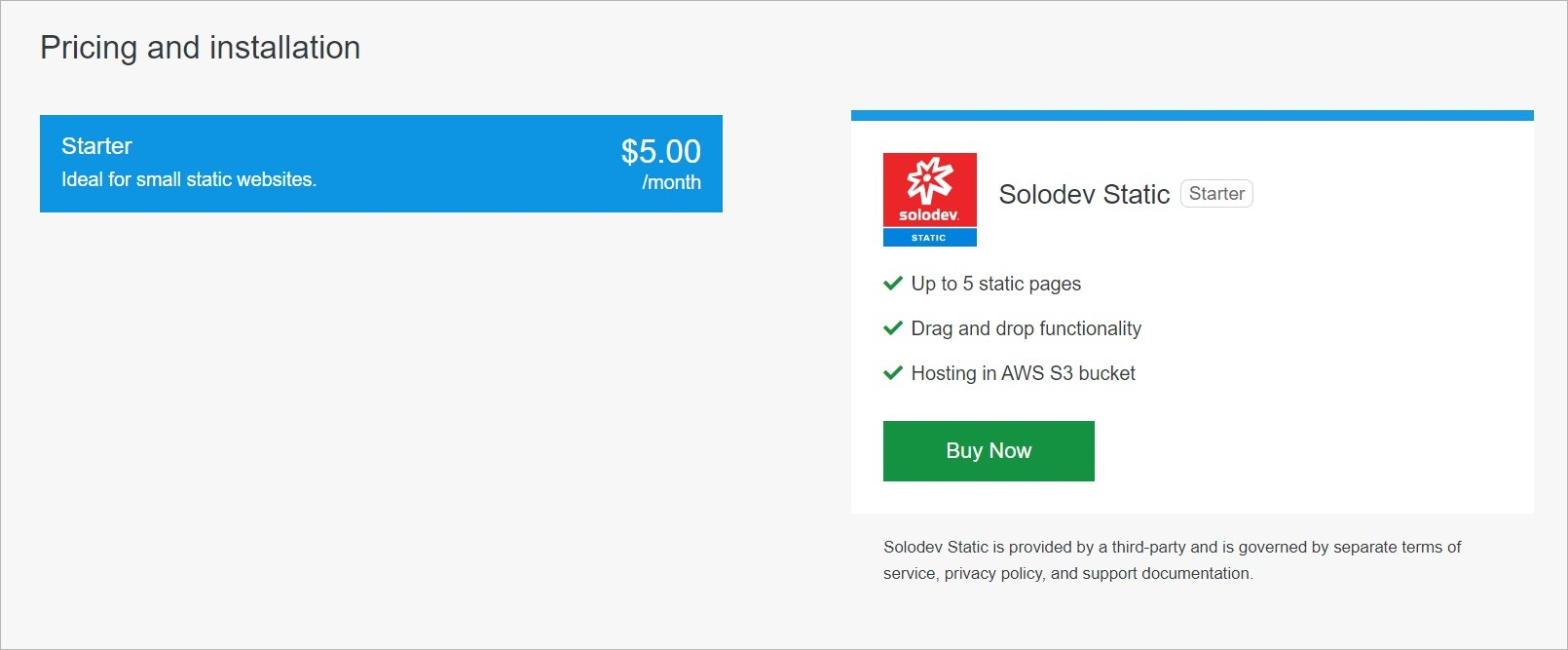
Buy Now | Click this button to go one step further to completing your purchase.
**Name** | **Description**
:--- | ---
Buy Now | Click this button to go one step further to completing your purchase.
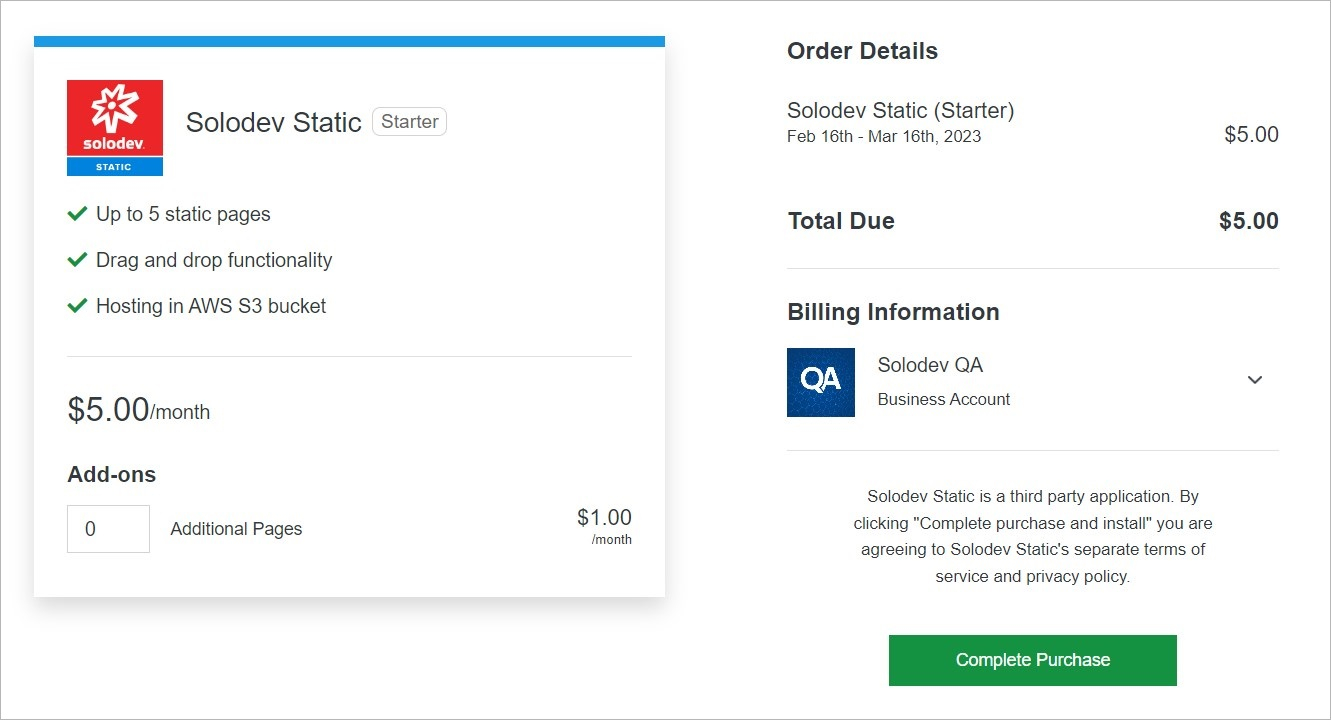 **Name** | **Description**
:--- | ---
Choose Add-Ons | Enter add-ons number, if needed.
Complete Purchase | Click this button to complete your purchase.
**Name** | **Description**
:--- | ---
Choose Add-Ons | Enter add-ons number, if needed.
Complete Purchase | Click this button to complete your purchase.
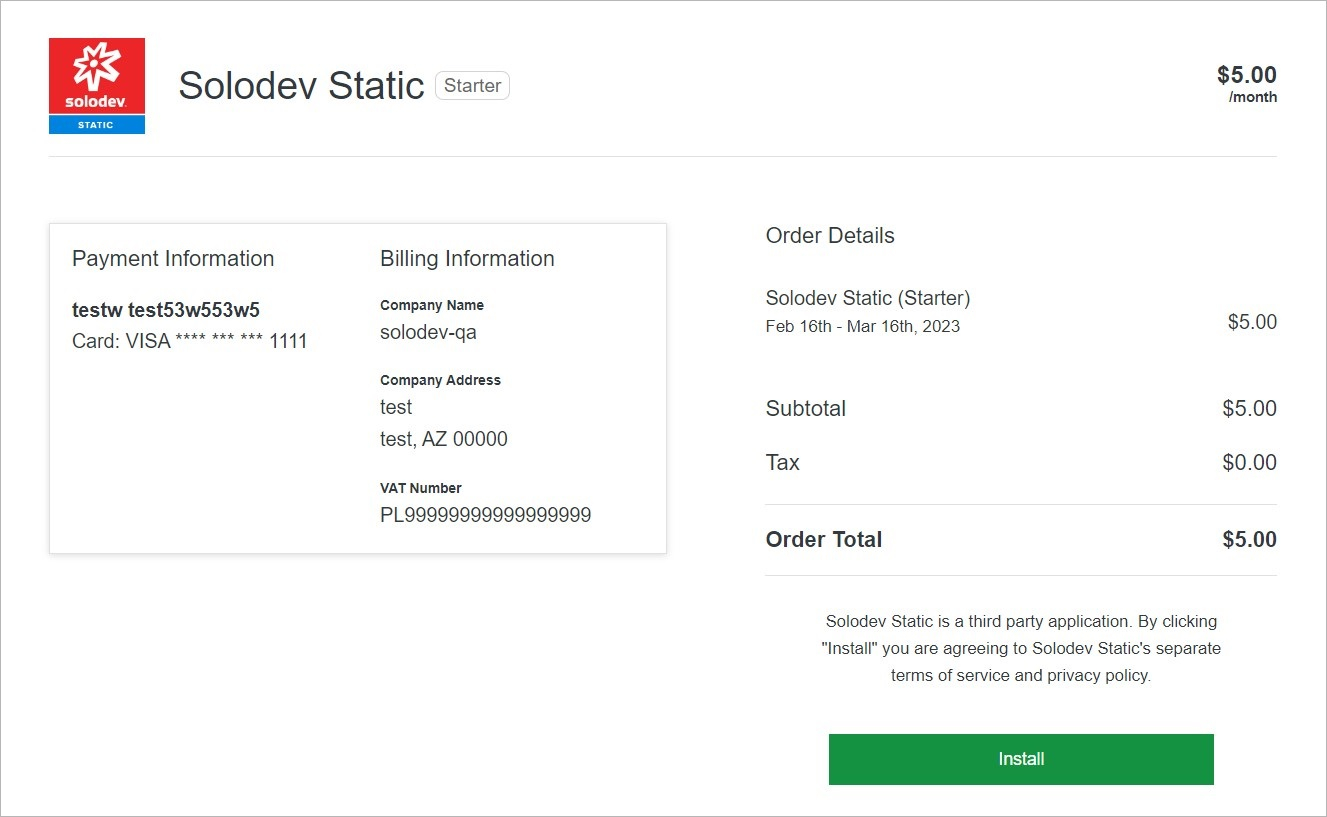 **Name** | **Description**
:--- | ---
Install | Install the product in the Solodev Cloud.
**Name** | **Description**
:--- | ---
Install | Install the product in the Solodev Cloud.
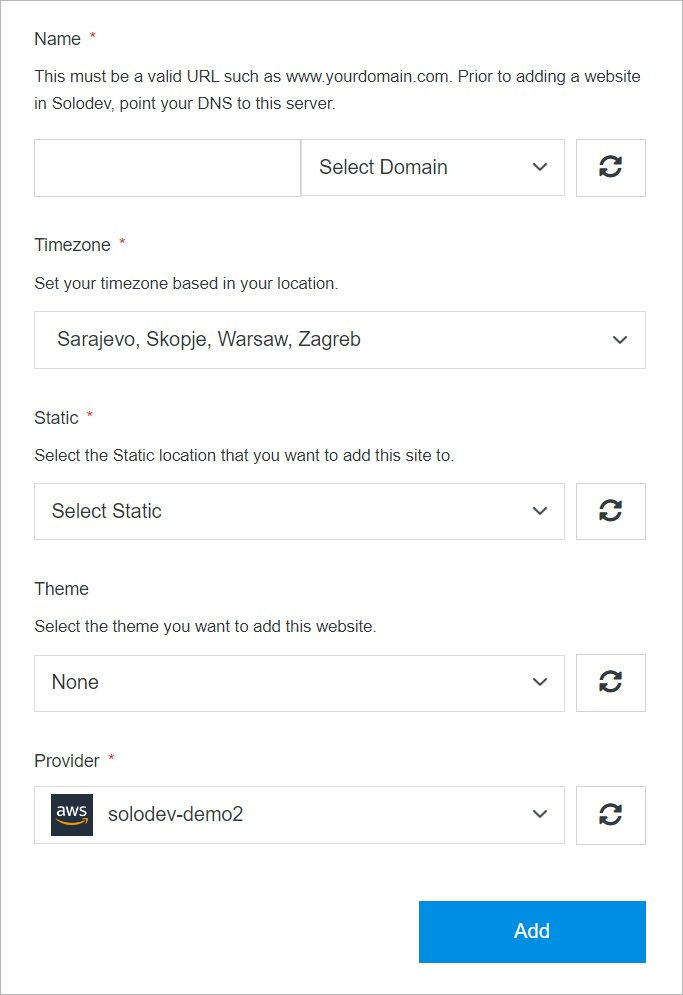 **Name** | **Description**
:--- | ---
Name | Add a custom title to identify your website within your Static deployment.
Timezone | Select a timezone for your website to help specify its location.
Static | Choose a Static for your website. Select from options that are purchased and ready to install, or you can add a new Static from the Solodev Marketplace.
Theme (optional) | Add a theme package to your website. Select from options that are purchased and ready to install, or you can add a new theme from the Solodev Marketplace.
Provider| Select your provider. If you have not already launched it, you can add a new provider from the Solodev Marketplace.
!!!Tip:
When adding a new domain, it must be a valid URL such as www.yourdomain.com. Before adding a website in Solodev, point your DNS to this server.
!!!
## External
Launch external site.
**Name** | **Description**
:--- | ---
Name | Add a custom title to identify your website within your Static deployment.
Timezone | Select a timezone for your website to help specify its location.
Static | Choose a Static for your website. Select from options that are purchased and ready to install, or you can add a new Static from the Solodev Marketplace.
Theme (optional) | Add a theme package to your website. Select from options that are purchased and ready to install, or you can add a new theme from the Solodev Marketplace.
Provider| Select your provider. If you have not already launched it, you can add a new provider from the Solodev Marketplace.
!!!Tip:
When adding a new domain, it must be a valid URL such as www.yourdomain.com. Before adding a website in Solodev, point your DNS to this server.
!!!
## External
Launch external site.
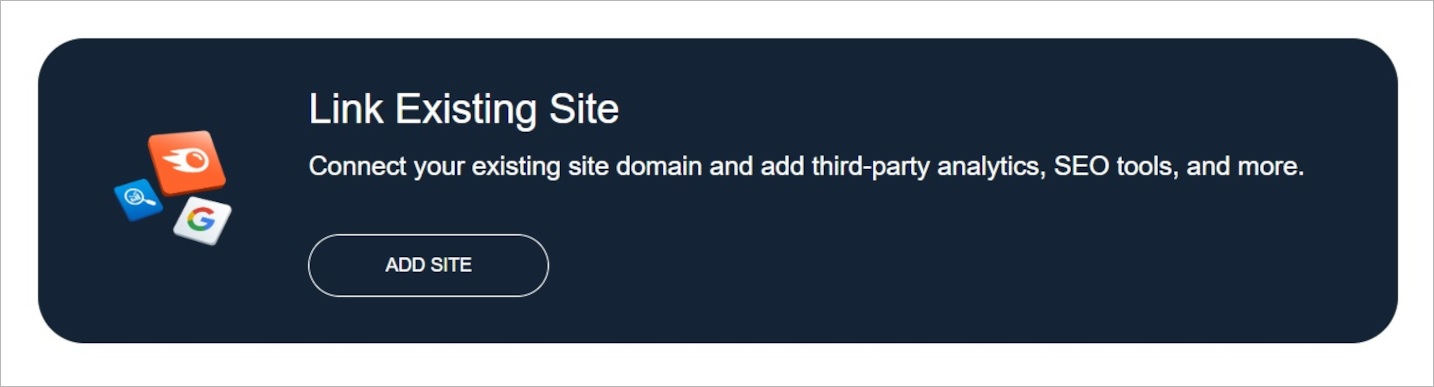 **Name** | **Description**
:--- | ---
Add Site | Add your site.
**Name** | **Description**
:--- | ---
Add Site | Add your site.
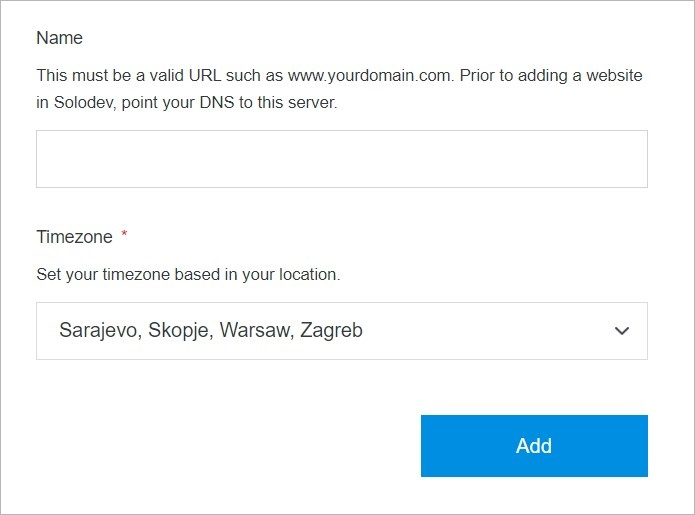 **Name** | **Description**
:--- | ---
Name | Add a custom title to identify your website.
Timezone | Select a timezone for your website to help specify its location.
!!!Tip:
When adding a new domain, it must be a valid URL such as www.yourdomain.com. Before adding a website in Solodev, point your DNS to this server.
!!!
## Add
Once you have completed all the fields, click **Add** to create your site.
!!!Note:
The site build process may take several minutes to complete after clicking the **Add** button. Do not close or quit your browser during this process.
!!!
**Name** | **Description**
:--- | ---
Name | Add a custom title to identify your website.
Timezone | Select a timezone for your website to help specify its location.
!!!Tip:
When adding a new domain, it must be a valid URL such as www.yourdomain.com. Before adding a website in Solodev, point your DNS to this server.
!!!
## Add
Once you have completed all the fields, click **Add** to create your site.
!!!Note:
The site build process may take several minutes to complete after clicking the **Add** button. Do not close or quit your browser during this process.
!!!