# Profile
Manage the profile by clicking **Manage Profile** on the bottom left and choosing **My Profile** then.
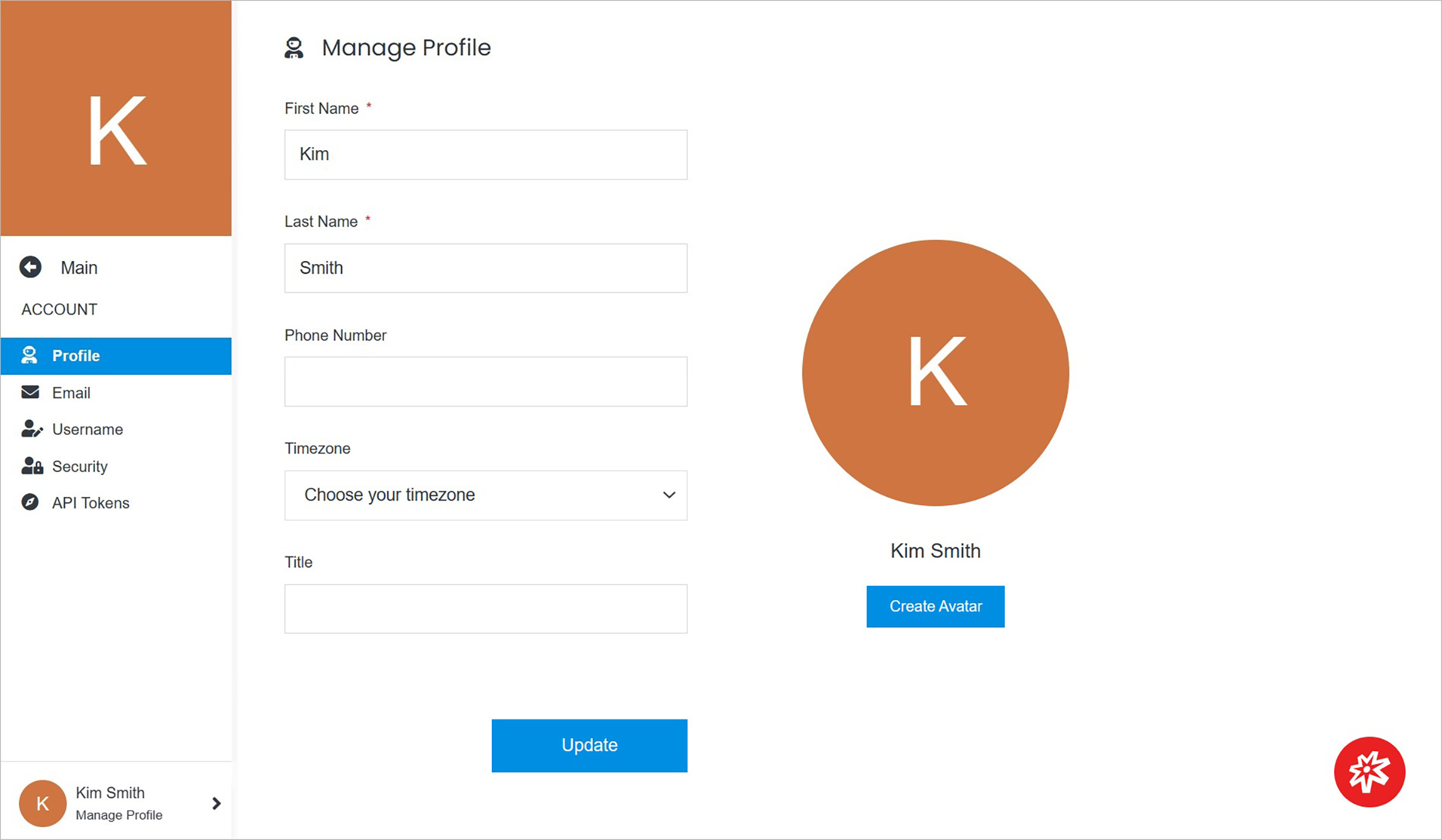 **Name** | **Description**
:--- | ---
Profile Information | Manage profile information.
Profile Picture or Profile Avatar | Manage profile picture or profile avatar.
## Profile Information
Manage the profile information by providing names, phone number, and more.
**Name** | **Description**
:--- | ---
Profile Information | Manage profile information.
Profile Picture or Profile Avatar | Manage profile picture or profile avatar.
## Profile Information
Manage the profile information by providing names, phone number, and more.
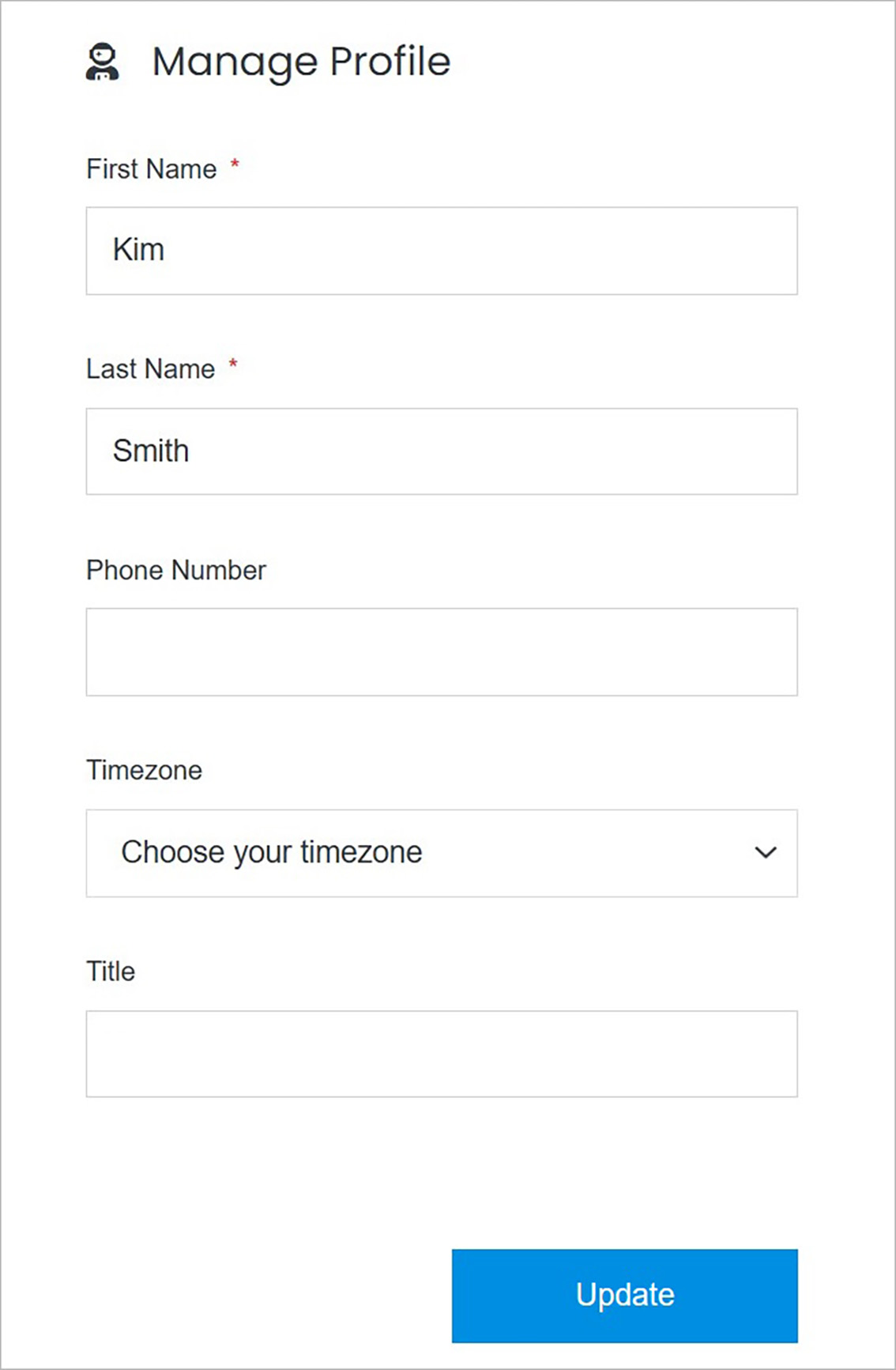 **Name** | **Description**
:--- | ---
First Name | Enter the first name.
Last Name | Enter the last name.
Phone Number | Enter the phone number.
Timezone | Choose the timezone based on your location.
Title | Enter the title.
## Profile Picture or Profile Avatar
Create and manage the profile picture or profile avatar.
**Name** | **Description**
:--- | ---
First Name | Enter the first name.
Last Name | Enter the last name.
Phone Number | Enter the phone number.
Timezone | Choose the timezone based on your location.
Title | Enter the title.
## Profile Picture or Profile Avatar
Create and manage the profile picture or profile avatar.
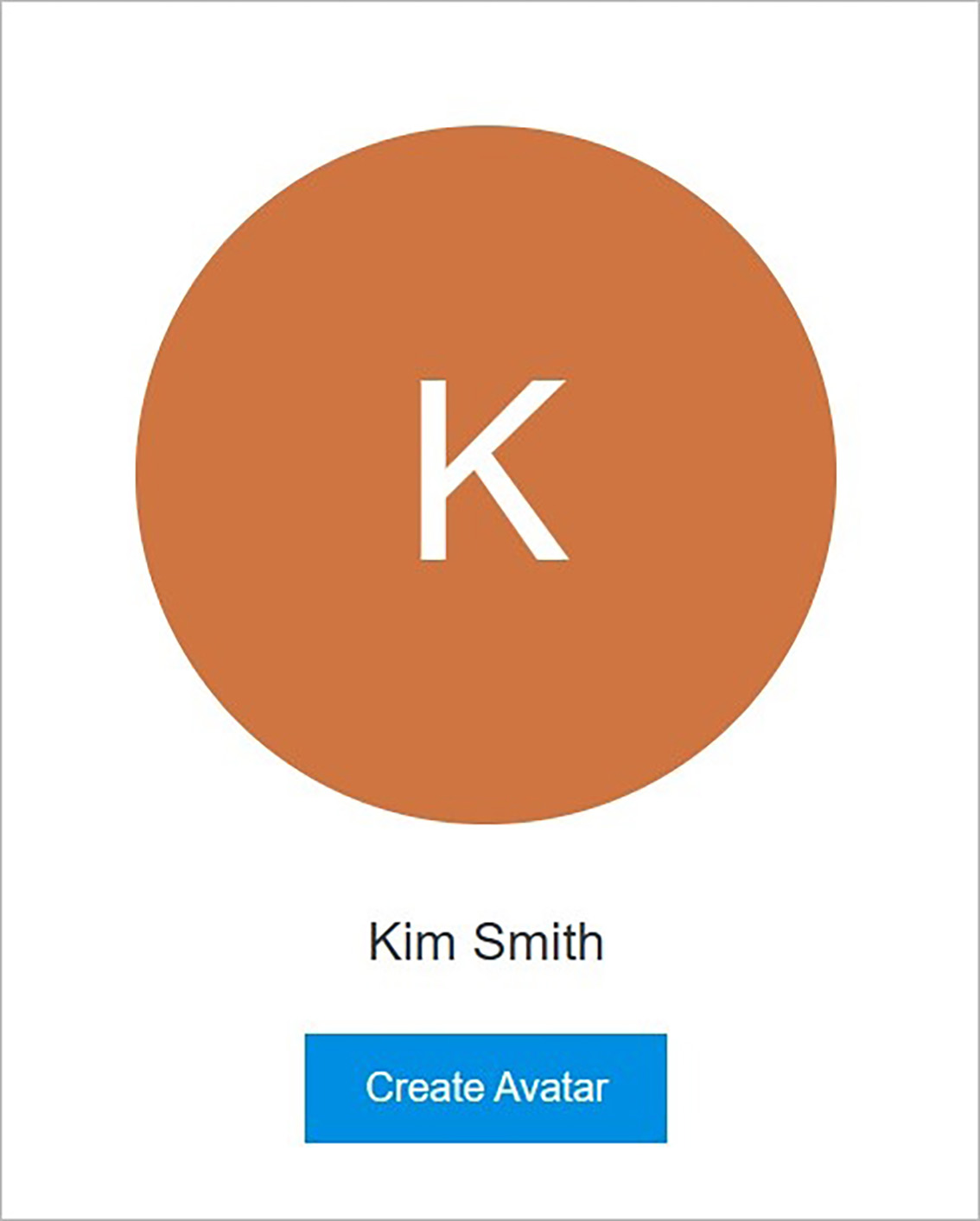 **Name** | **Description**
:--- | ---
Profile Picture | Manage the profile picture.
Profile Avatar | Manage the profile avatar.
### Profile Picture
Create and manage the profile picture.
**Name** | **Description**
:--- | ---
Profile Picture | Manage the profile picture.
Profile Avatar | Manage the profile avatar.
### Profile Picture
Create and manage the profile picture.
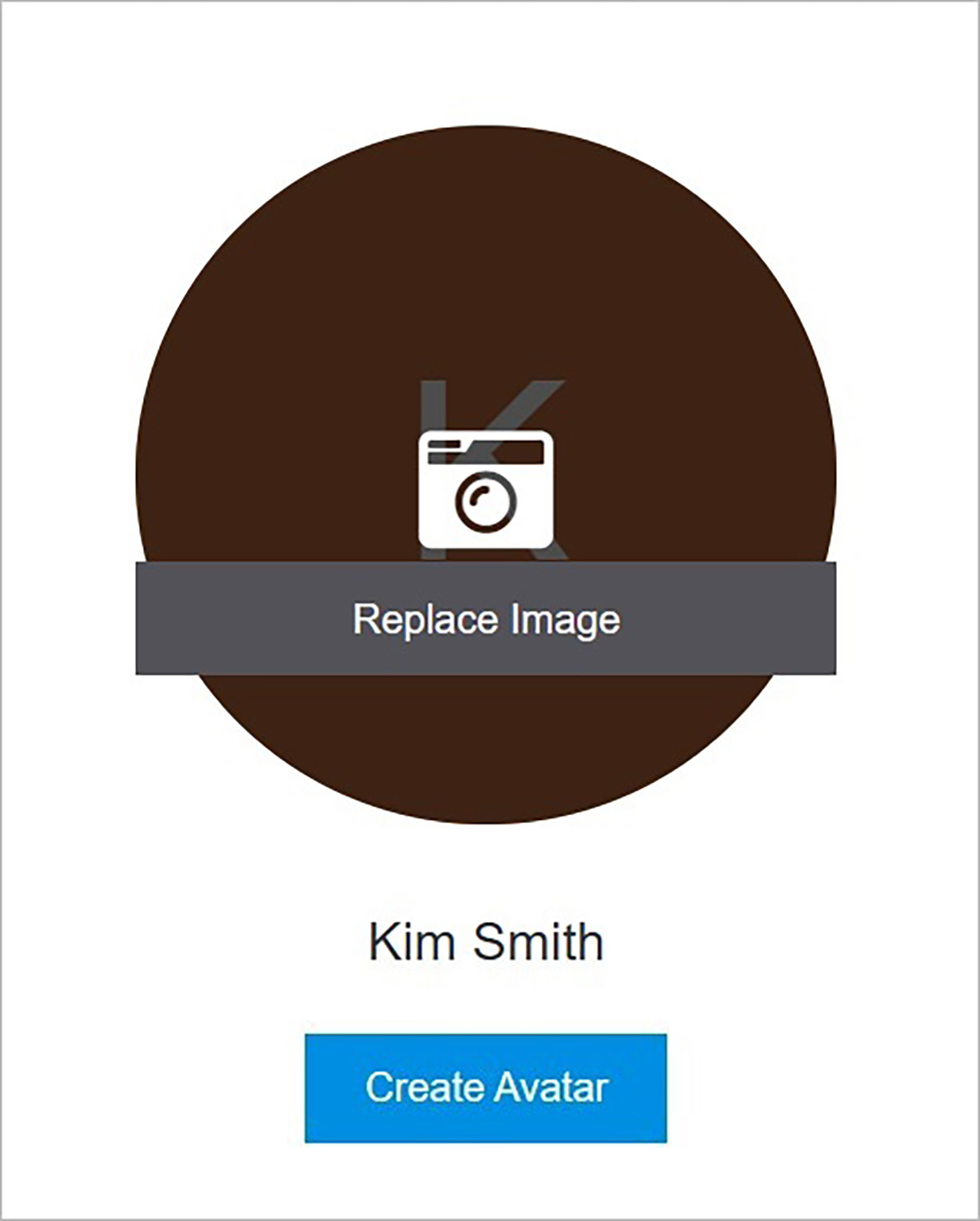 **Name** | **Description**
:--- | ---
Replace Image | Add an image by clicking **Replace Image** and choosing the file from your computer.
### Profile Avatar
Create and manage the profile avatar.
**Name** | **Description**
:--- | ---
Replace Image | Add an image by clicking **Replace Image** and choosing the file from your computer.
### Profile Avatar
Create and manage the profile avatar.
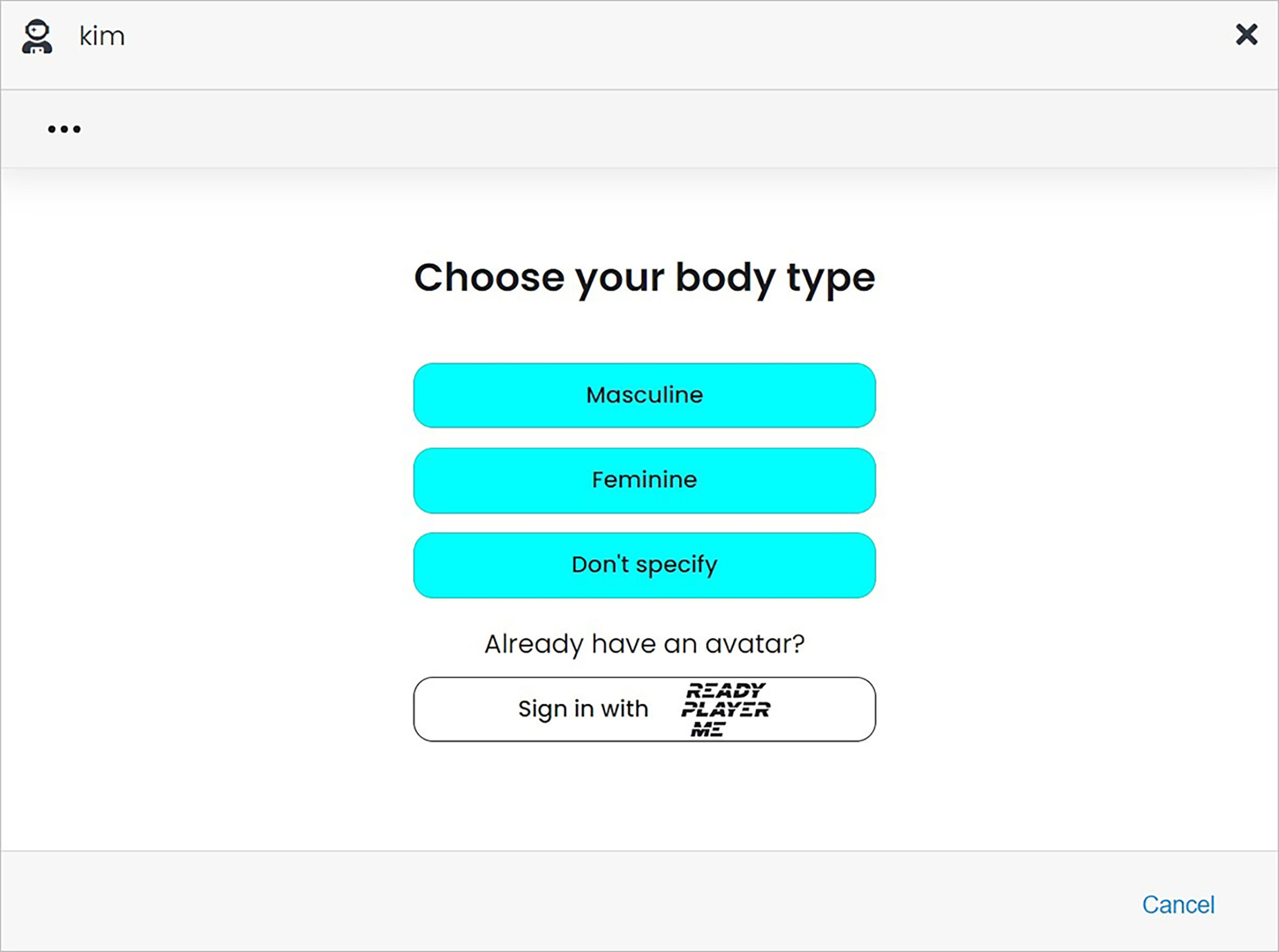 **Name** | **Description**
:--- | ---
Choose Your Body Type | Choose body type from: **Masculine**, **Feminine**, **Don't specify**.
Sign In With **Ready Player Me** | Sign in if you have already an avatar.
**Name** | **Description**
:--- | ---
Choose Your Body Type | Choose body type from: **Masculine**, **Feminine**, **Don't specify**.
Sign In With **Ready Player Me** | Sign in if you have already an avatar.
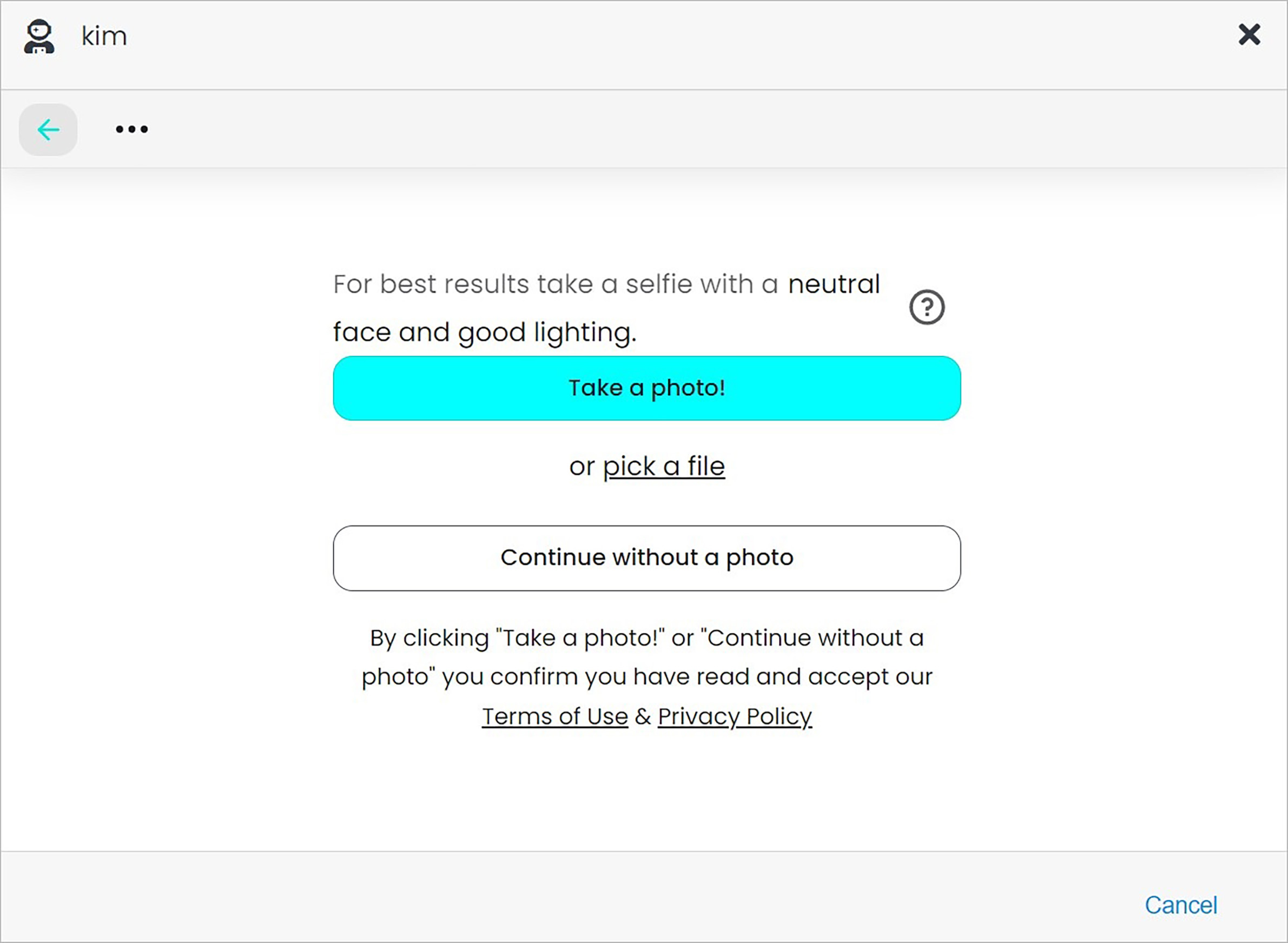 **Name** | **Description**
:--- | ---
Take a photo | Create an avatar based on taking a photo.
Pick a file | Create an avatar based on a photo you have uploaded.
Continue without a photo | Create your avatar without using a photo.
**Name** | **Description**
:--- | ---
Take a photo | Create an avatar based on taking a photo.
Pick a file | Create an avatar based on a photo you have uploaded.
Continue without a photo | Create your avatar without using a photo.
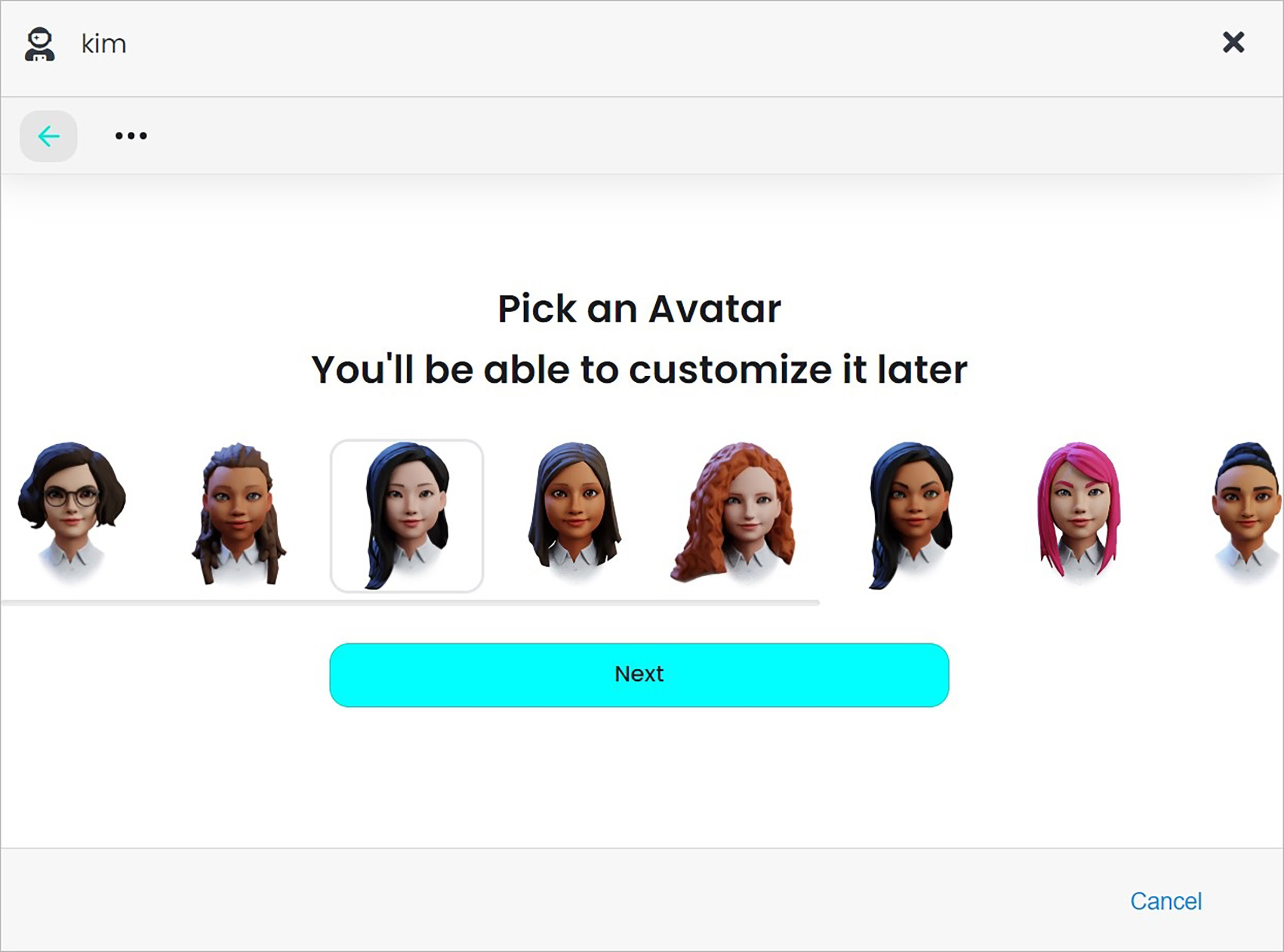 **Name** | **Description**
:--- | ---
Pick an Avatar | Pick your avatar and click **Next**.
**Name** | **Description**
:--- | ---
Pick an Avatar | Pick your avatar and click **Next**.
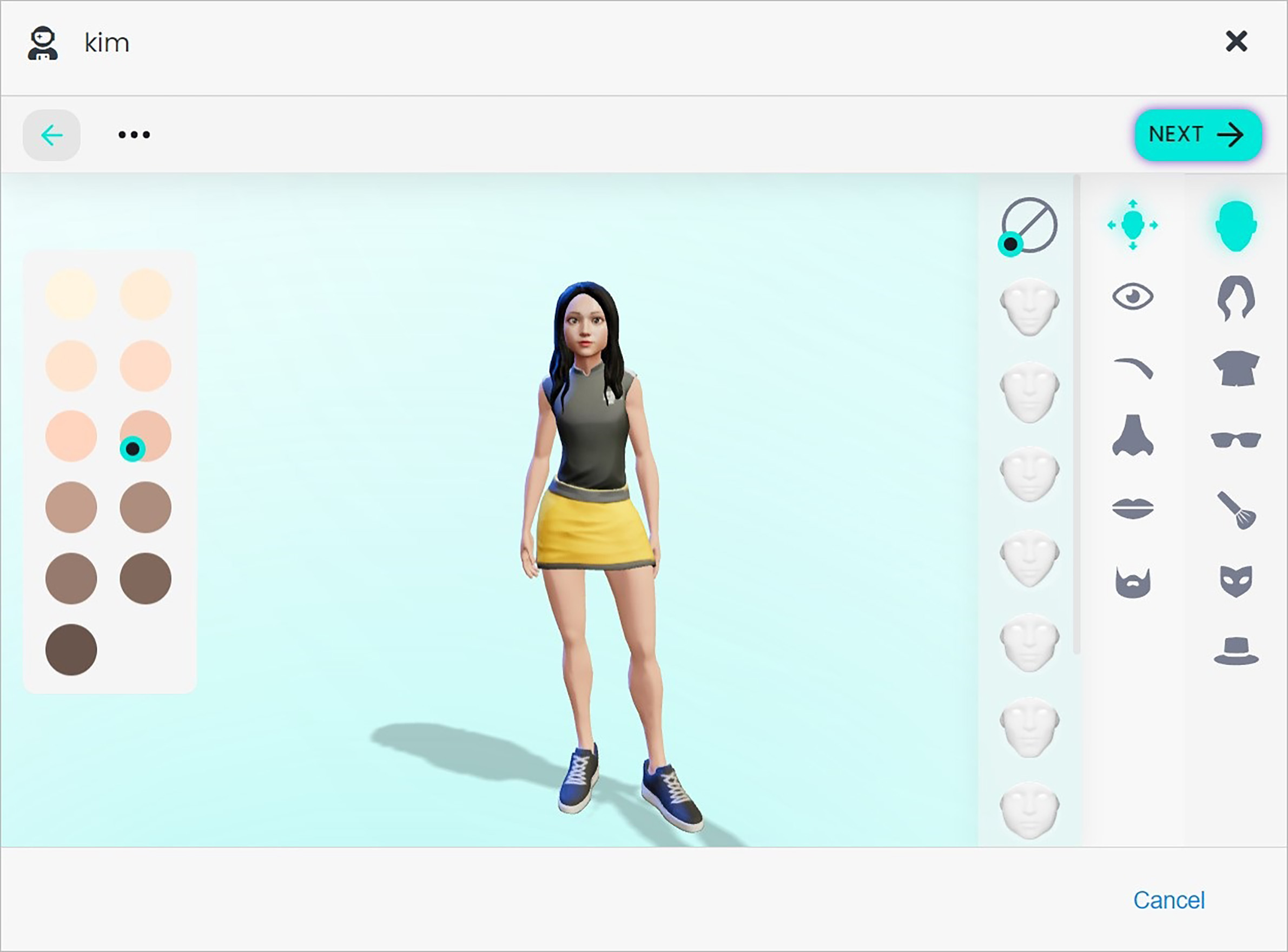 **Name** | **Description**
:--- | ---
Create your avatar | Build your avatar by selecting individual elements. When finish, click **Next**.
## Confirm
Once you have completed all the fields, click **Update** to apply your changes.
**Name** | **Description**
:--- | ---
Create your avatar | Build your avatar by selecting individual elements. When finish, click **Next**.
## Confirm
Once you have completed all the fields, click **Update** to apply your changes.